

AVAYA DOCUMENTATION CENTER
Find answers to your technical questions and learn how to use our products
Administering Avaya IP Office with Web Manager
The Archive Listing Page
In order to access the archive listing, you need to be log in with a Google user account that has been granted permission to access the archive folder. See Allowing Access to the External Storage by Other Users.
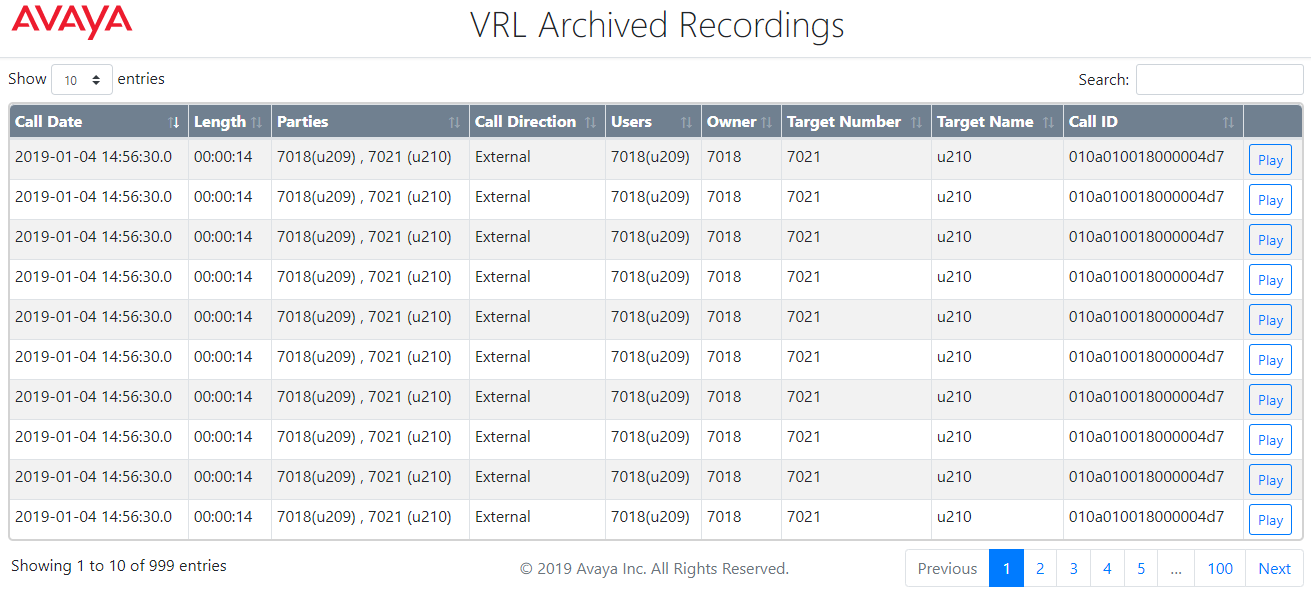
A link for the archive is shown on the Voice Recordings Library page. When opened, the archive listing page defaults to showing the recordings in date order.
-
You can sort the recordings by clicking on the column headers. The icons in the headers indicate the current column being used for sorting and the direction of the sorting.
-
The Play button will begin playing the selected recording and display playback controls. Only one file can be played at a time.
-
The search box can be used to filter the displayed recordings to only those that include matching words in their call details. You can enter multiple words separate by spaces.