AVAYA DOCUMENTATION CENTER
Find answers to your technical questions and learn how to use our products
Administering Avaya Aura® Session Manager
Auditing a Backup Storage Location
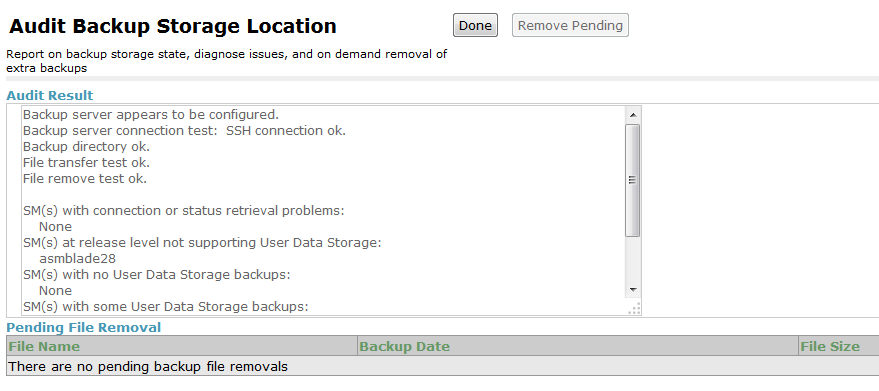
The audit runs on the backup server and provides a summary status of the backup server and files.
The Audit Backup Storage Location screen also displays the files which will be removed in the next nightly audit. If not enough disk space is currently available, the administrator can click Remove Pending to immediately remove the pending files on the backup server.
Backups and audits run on a daily basis at 1:15 AM local time on the Session Manager server. The backup server audit removes extra backup files at 2:15 AM local time on System Manager.
Procedure
Example
The audit displays results similar to the following: