AVAYA DOCUMENTATION CENTER
Find answers to your technical questions and learn how to use our products
Using Avaya Cloud Office Desktop App
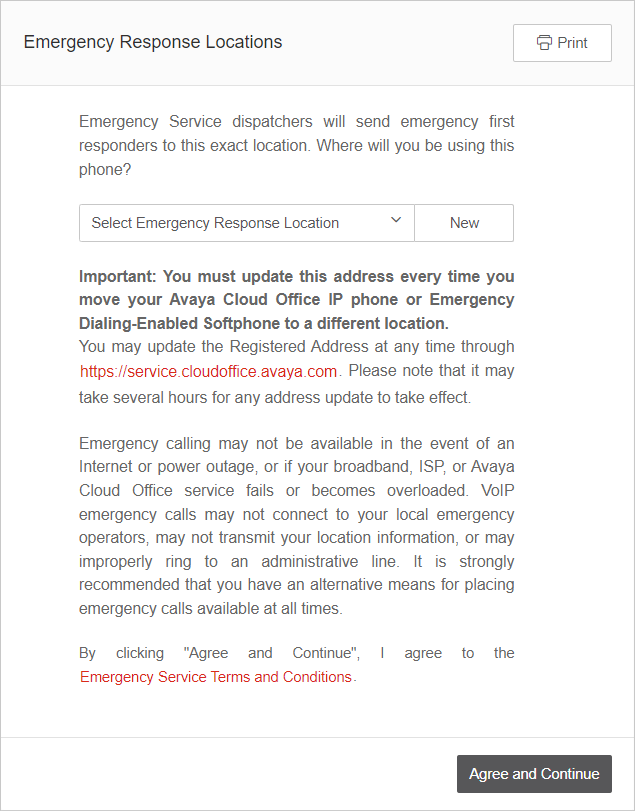
Configuring the emergency response location
Configure an emergency response location for your Avaya Cloud Office™ phone number to ensure that first responders receive address information when you make emergency calls. You cannot make outbound calls without a configured emergency response location.
- On the Emergency Response Locations page, from the Select Emergency Response Location list, select your address.
- To add a new address, click New and do the following:
- On the Add Emergency Response Location page, complete the following fields:
ADDITIONAL INFORMATION:
-
Nickname
-
Customer Name
-
Street Address
-
Apartment/Suite
-
Zip Code
-
City
-
Country
-
State/Province
-
- Click Add location.
- On the Add Emergency Response Location page, complete the following fields:
- Click Agree and Continue.
ADDITIONAL INFORMATION: