Logging out of Avaya Cloud Office Desktop App

Last Updated : Aug 28, 2024 |
Prolog information
Log out of Avaya Cloud Office Desktop App to appear offline and silence notifications. You will receive any missed notifications when you log in again.
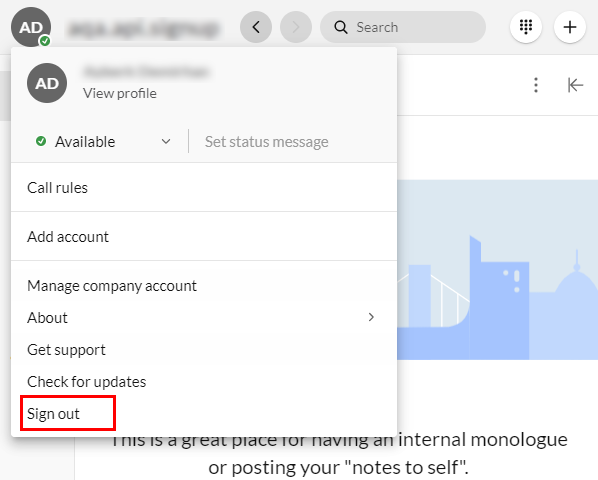
  1. At the top header bar, click your profile icon.
  2. Click Sign out.
    ADDITIONAL INFORMATION: Screenshot with Sign out highlighted