AVAYA DOCUMENTATION CENTER
Find answers to your technical questions and learn how to use our products
Using Avaya Cloud Office Desktop App
Navigation
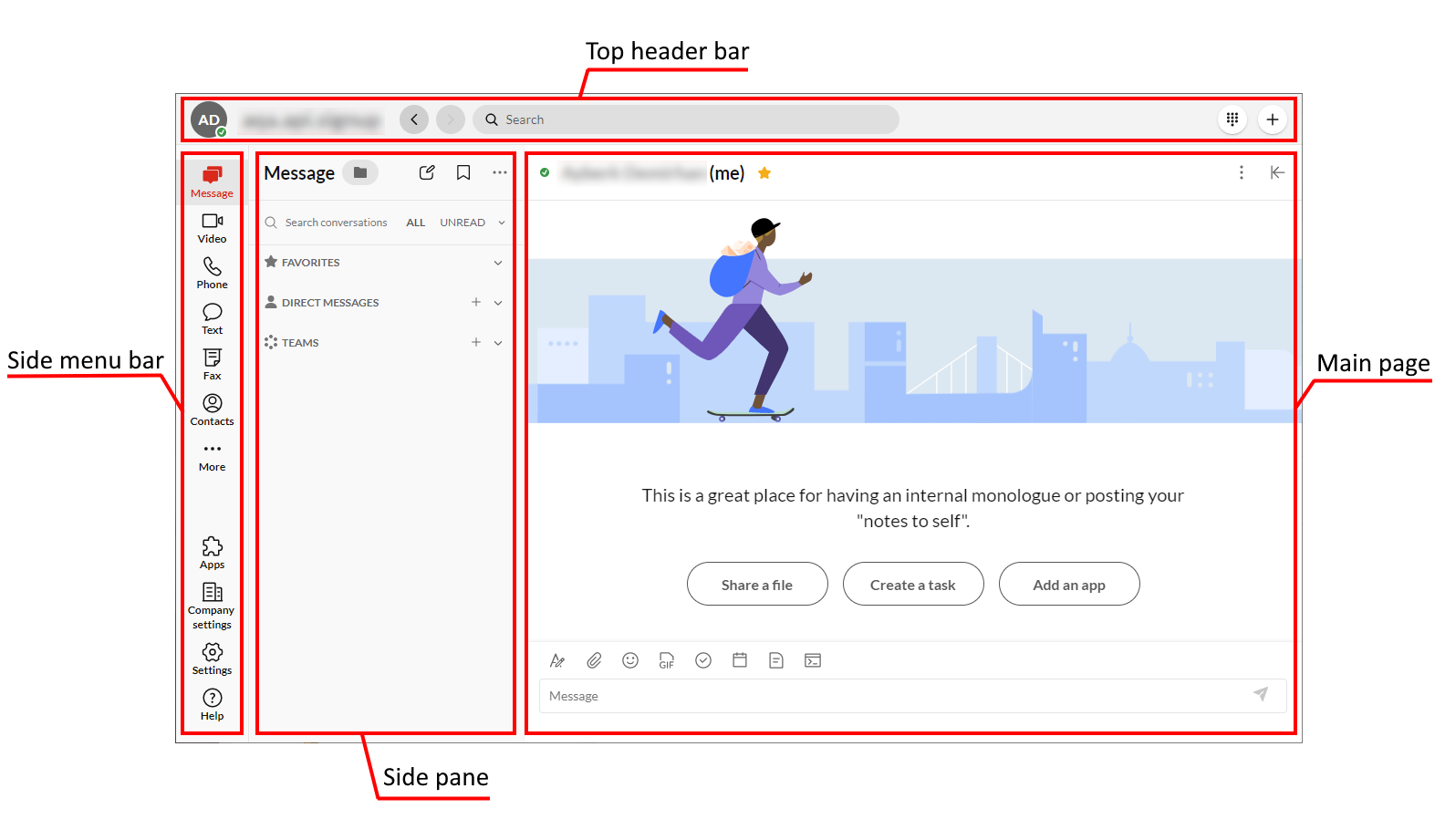
Avaya Cloud Office Desktop App contains the following sections:
-
Side menu bar
-
Side pane
-
Main page
-
Top header bar
You can use the side menu bar and side pane to navigate across Avaya Cloud Office Desktop App. When you select a tab from the side menu bar, the side pane displays the subtabs you can visit from that tab. After selecting a subtab from the side pane, the main page displays the contents of that subtab.