

AVAYA DOCUMENTATION CENTER
Find answers to your technical questions and learn how to use our products
Using Avaya Cloud Office Desktop App
Changing your status
Change your status to let your colleagues know your availability. The small dot at the corner of your profile icon indicates your current status.
- At the top header bar, click your profile icon.
- Click your current status.
- From the expanded list, click one of the following:
-
Available
-
Do not disturb
-
Invisible
ADDITIONAL INFORMATION: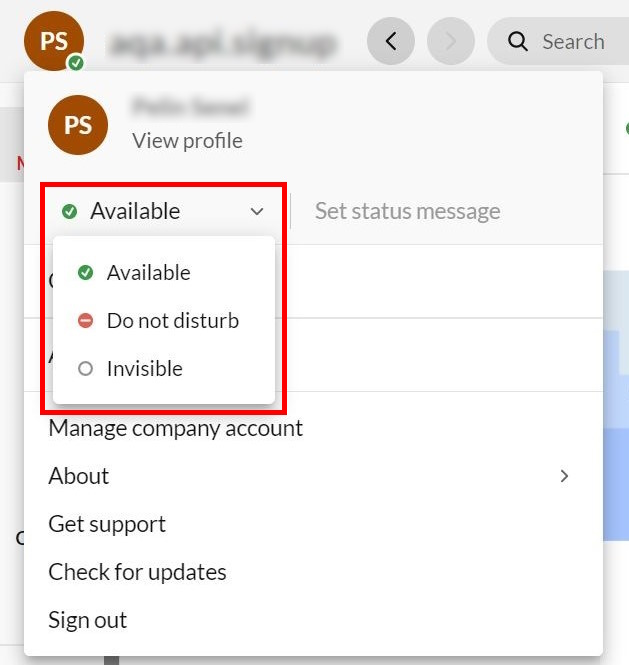
-