

AVAYA DOCUMENTATION CENTER
Find answers to your technical questions and learn how to use our products
Avaya Aura® Communication Manager Alarms, Events, and Logs Reference
Communication Manager Maintenance Object Repair Procedures
This chapter provides information for troubleshooting and repairing maintenance objects.
Note:
This chapter does not contain maintenance objects for the Avaya Wireless Business System or messaging systems. Refer to the documentation that accompanies these products for this information.
Each identifiable part in the system is considered a maintenance object (MO). A maintenance object can be:
An individual media module
A hardware component that is part of a media module
Any software process
Significant events
Environmental controls
Each maintenance object has its own unique set of tests, error codes, and recovery strategy. Maintenance software logs inline errors reported by media modules, runs tests for error diagnosis and recovery, and raises and clears alarms.
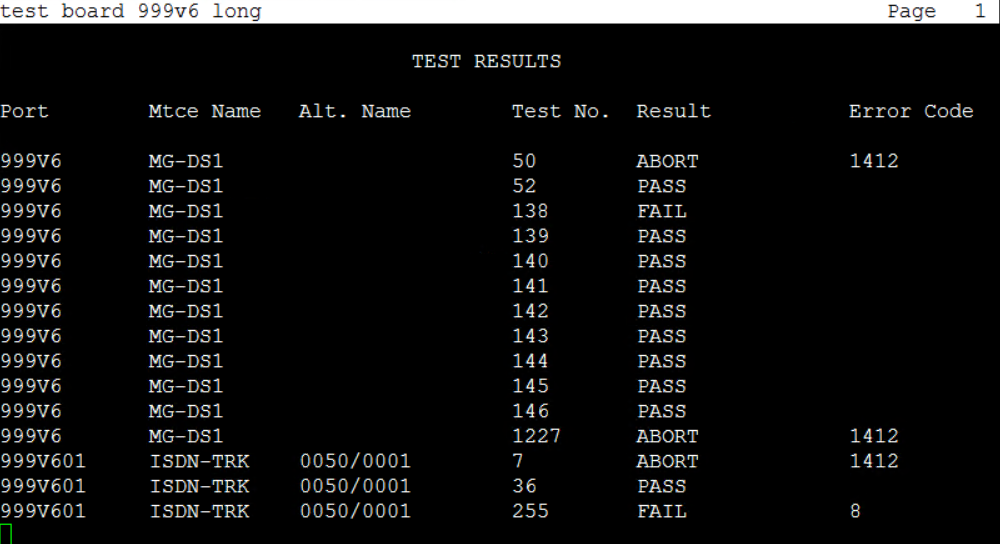
Maintenance names are recorded in the Error and Alarm logs. Individual copies of an MO are assigned an address that defines the MO’s physical location in the system when applicable. These locations display as the port field in the Alarm and Error logs and as output of commands such as test board.
Communication Manager maintenance objects are displayed using the list configuration all or show mg list_config command.
list config all on the Communication Manager System Access Terminal (SAT) screen displays the Board Name (location), Board Type, Code, Vintage, and the assigned ports, if any, of all installed equipment in the system.
show mg list_config on the MGP displays information for the installed equipment in that gateway.