AVAYA DOCUMENTATION CENTER
Find answers to your technical questions and learn how to use our products
Avaya Aura® Communication Manager Alarms, Events, and Logs Reference
LIC-ERR (License Error Mode)
MO Name in Log |
Alarm Level |
Initial Command to Run |
Full Name of MO |
|---|---|---|---|
LIC-ERR |
MAJ |
test license |
License Error Mode |
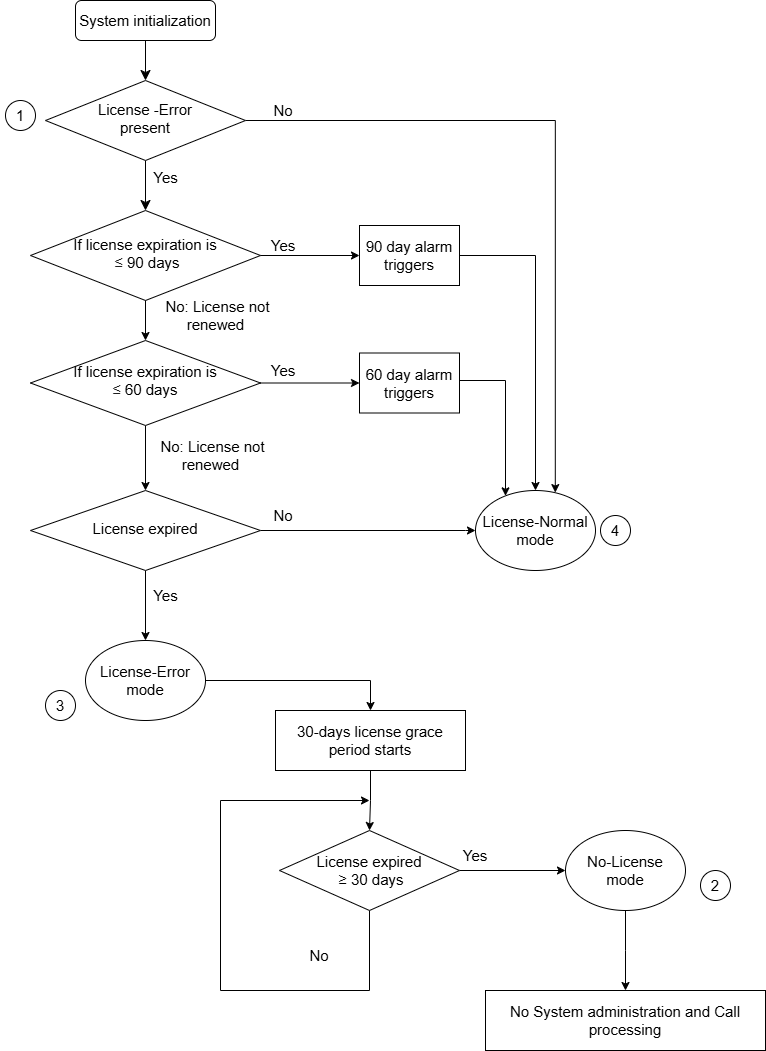
The LIC-ERR MO works with the NO-LIC MO to look for any errors and violations associated with a License File. Once a License File error occurs, a LIC-ERR error is logged, an alarm is raised, and the following SAT login message is displayed:
System Administration Will Be Blocked in Approximately XXX hours. Contact Your Service Representative.
The License File is loaded onto a server during initialization of Communication Manager software, restoration of translations, and periodically during normal operation. After initialization, a query is made to WebLM, a license server plug-in that
Reads the serial number in a License file.
Compares this file’s serial number to a serial number in hardware.
Compares the file’s serial number with a running software version.
If a match occurs, the Web License Generator (WebLM) that resides on a designated server in the enterprise delivers a new feature mask, an information set that controls which features are enabled or not on the Customer Options and Special Applications screens.
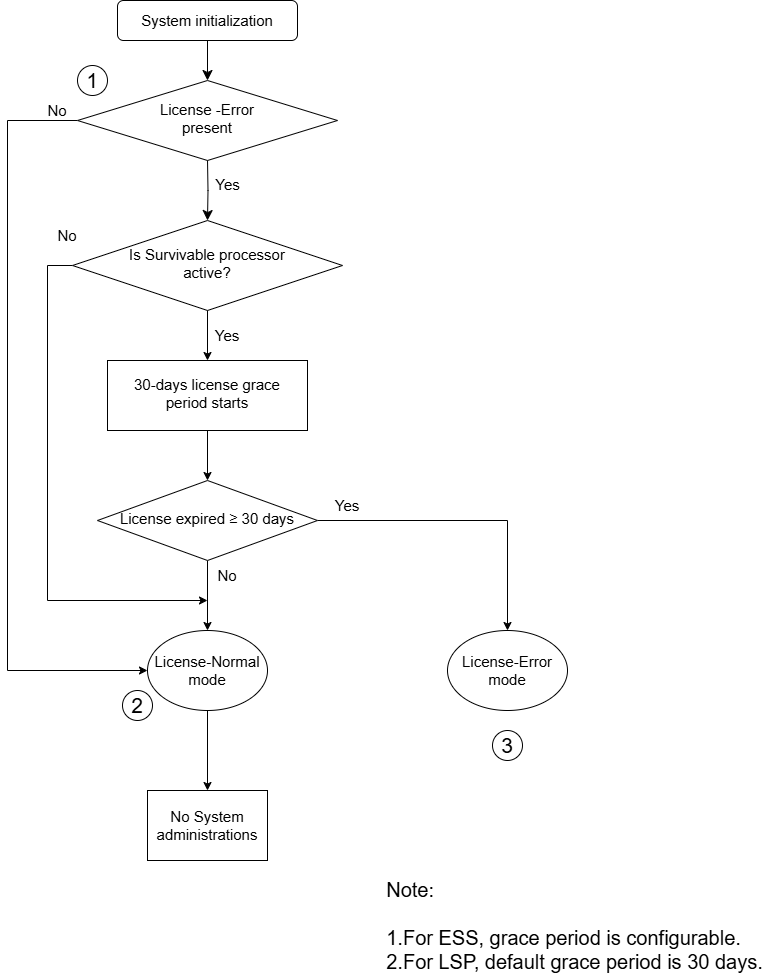
Entry into License Error mode starts a timer that, when expired, causes the system to enter No-License mode (see the figure) .