

AVAYA DOCUMENTATION CENTER
Find answers to your technical questions and learn how to use our products
Avaya Aura® Communication Manager Alarms, Events, and Logs Reference
Incomplete command time-out
A command time-out feature exists on the system-parameters maintenance. The command time-out feature improves the operation of daily maintenance by allowing maintenance routines to run that might otherwise not run. It also helps to prevent the loss of translations that were not saved with save translation, and were also not saved because daily maintenance was prevented from running prior to the system reset. The highlights of the feature include:
Options for blank, 1, 2, 3, 4, 5, or 6 hours. The default is 2 hours.
The blank option indicates that the feature is not active
Only commands that block the running of daily maintenance, such as add, change, duplicate, remove, and set are affected.
All logins will time out if any of these commands are active for the prescribed time except for the blank option.
The feature applies to all logins, regardless of type, such as init, dadmin, craft, inads, or permissions granted to the specific login ID of an administration or maintenance user
The corresponding time-out entry is appended to the list history log.
The Command Time-out field can be viewed by customer administrators. A craft, init, dadmin, or inads login is required to change the option for the field. The figure shows the Maintenance-related System Parameters screen for Communication Manager.
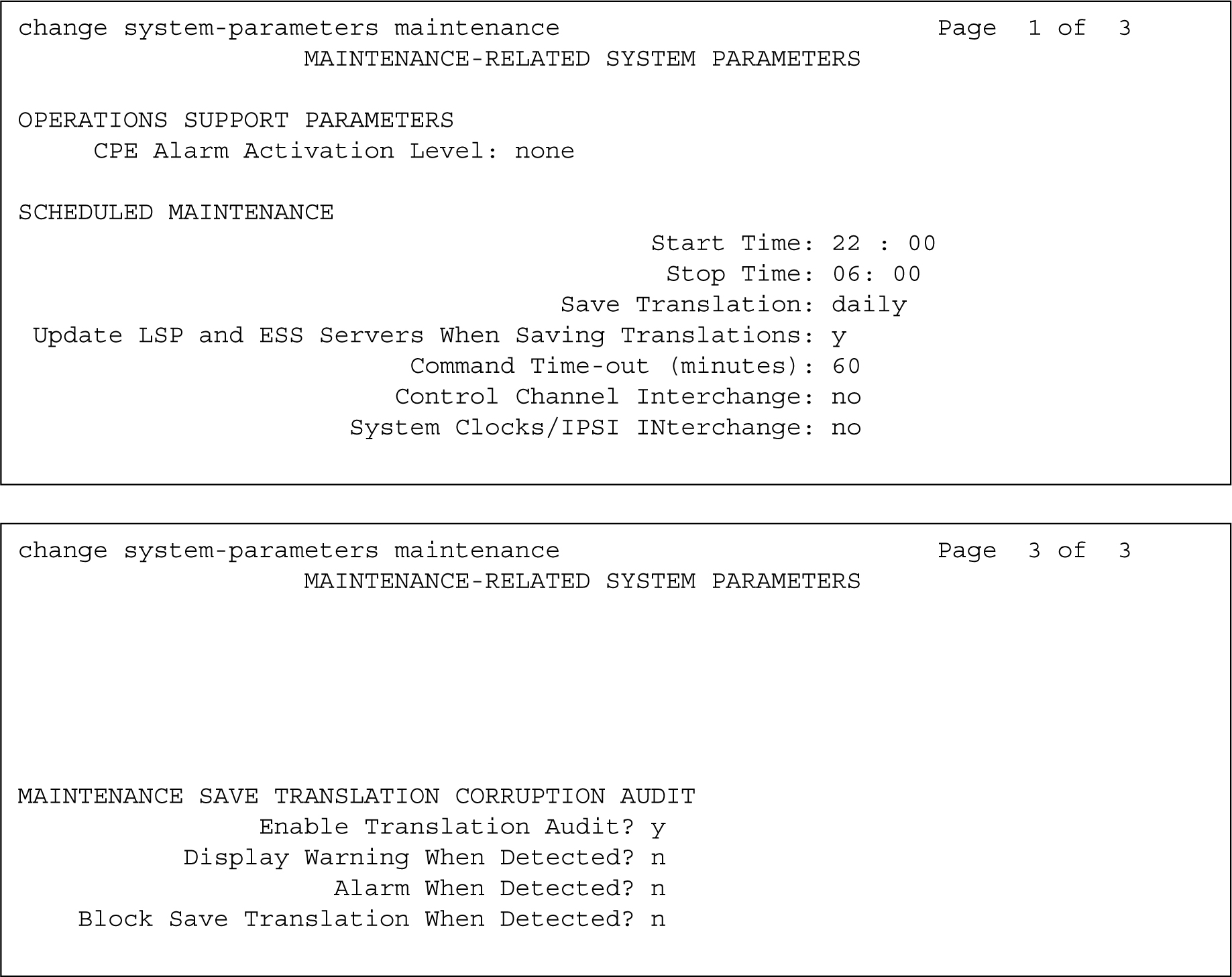
change system-parameters maintenance                         Page  1 of  3
                   MAINTENANCE-RELATED SYSTEM PARAMETERS
OPERATIONS SUPPORT PARAMETERS
     CPE Alarm Activation Level: none
SCHEDULED MAINTENANCE
                                          Start Time: 22 : 00
                                           Stop Time: 06: 00
                                    Save Translation: daily
 Update LSP and ESS Servers When Saving Translations: y
                          Command Time-out (minutes): 60
                         Control Channel Interchange: no
                      System Clocks/IPSI INterchange: no
change system-parameters maintenance                         Page  3 of  3
                   MAINTENANCE-RELATED SYSTEM PARAMETERS
MAINTENANCE SAVE TRANSLATION CORRUPTION AUDIT
                Enable Translation Audit? y
           Display Warning When Detected? n
                     Alarm When Detected? n
    Block Save Translation When Detected? n