AVAYA DOCUMENTATION CENTER
Find answers to your technical questions and learn how to use our products
Avaya Aura Presence Services Snap-in Reference
Creating an Aura user for Domino Collector to authenticate
- Log in to the Domino Administrator client.
- Click .
ADDITIONAL INFORMATION:
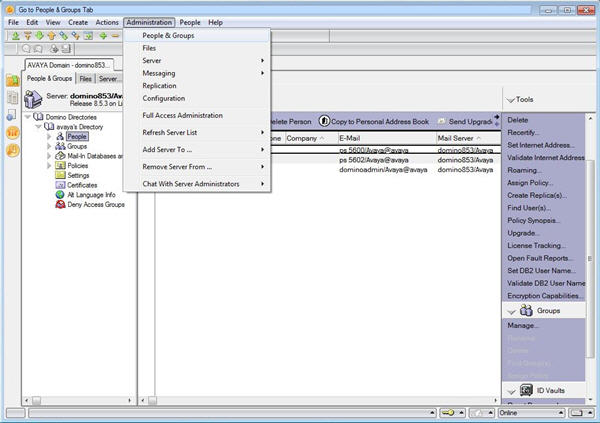
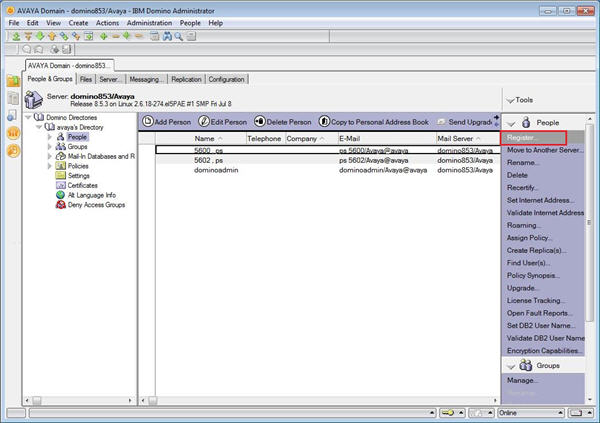
- In the People & Groups tab, click Domino Directories, and then click People.
- In the right-hand sideTools pane, click .
ADDITIONAL INFORMATION:
- Click Server, and select the server to work with.
ADDITIONAL INFORMATION:Note:The Domino server creates the cert.id file when the server is installed. This file must be retrieved from the Domino server to the client computer used to run the Domino Administration client software. The cert.id file is located in the Domino server default data folder. This is the same folder where the domino-calendar-ws.nsf file was copied to in Step 2 of the installation checklist.
- Click Certifier ID.
ADDITIONAL INFORMATION:
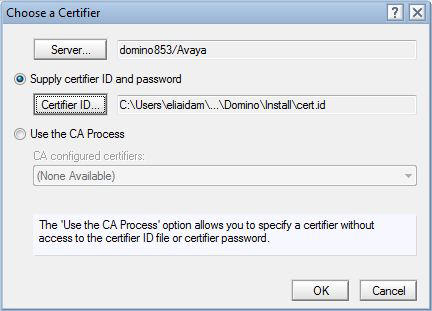
- Select a Certifier ID and click OK.
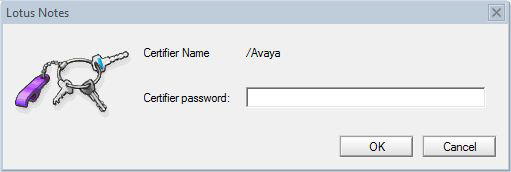
- In the Certifier password field, enter the certifier password.
ADDITIONAL INFORMATION:
- In the Register Person dialog box, enter the last name the Last name field.
ADDITIONAL INFORMATION:
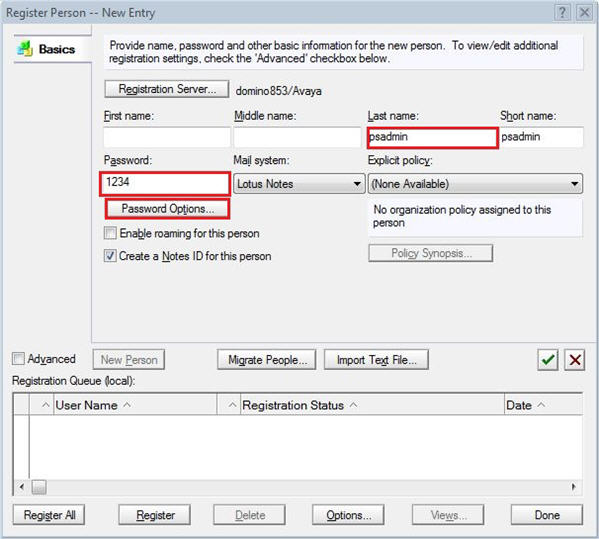
- Enter a password in the Password field.
ADDITIONAL INFORMATION:The criteria for the password is based on the level set in the Password Quality Scale in the Password Options dialog box.
- Set the password options.
ADDITIONAL INFORMATION:
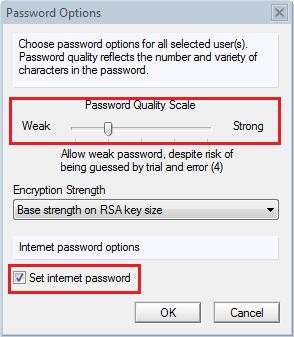
- Click Password Options.
- Set the password strength using the Password Quality Scale slider.
- Select the Set internet password check box, to set an internet password.
- Click OK.
- Click the green check mark.
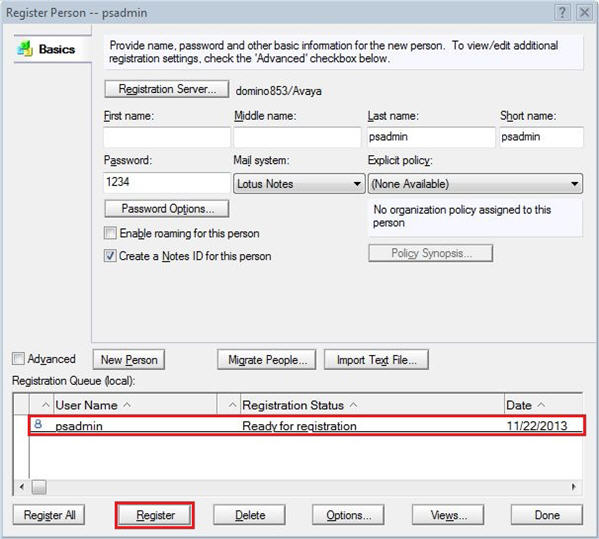
ADDITIONAL INFORMATION:The user appears in the Registration Queue (local) pane.
- Select the user entry and click Register.
ADDITIONAL INFORMATION:
- Click OK.
- Click Done.
- Verify that the new user is listed in the People folder.
ADDITIONAL INFORMATION:
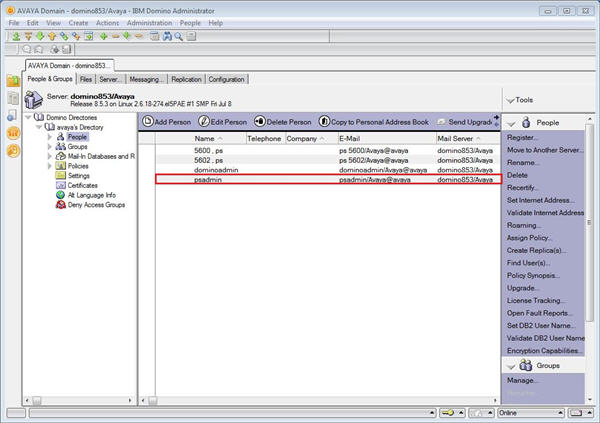
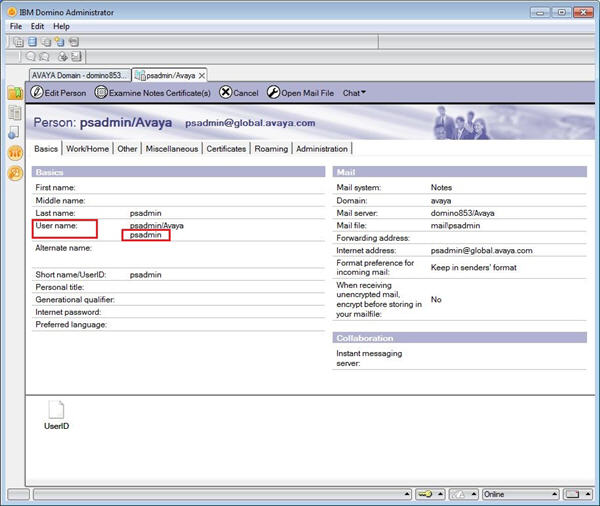
- Double-click the user entry to see information about the user.
ADDITIONAL INFORMATION:Verify that the username displays correctly in the User name field.