AVAYA DOCUMENTATION CENTER
Find answers to your technical questions and learn how to use our products
Avaya Aura Presence Services Snap-in Reference
Setting up the Session Manager routing policy
- Log in to the System Manager as an administrator.
- Click .
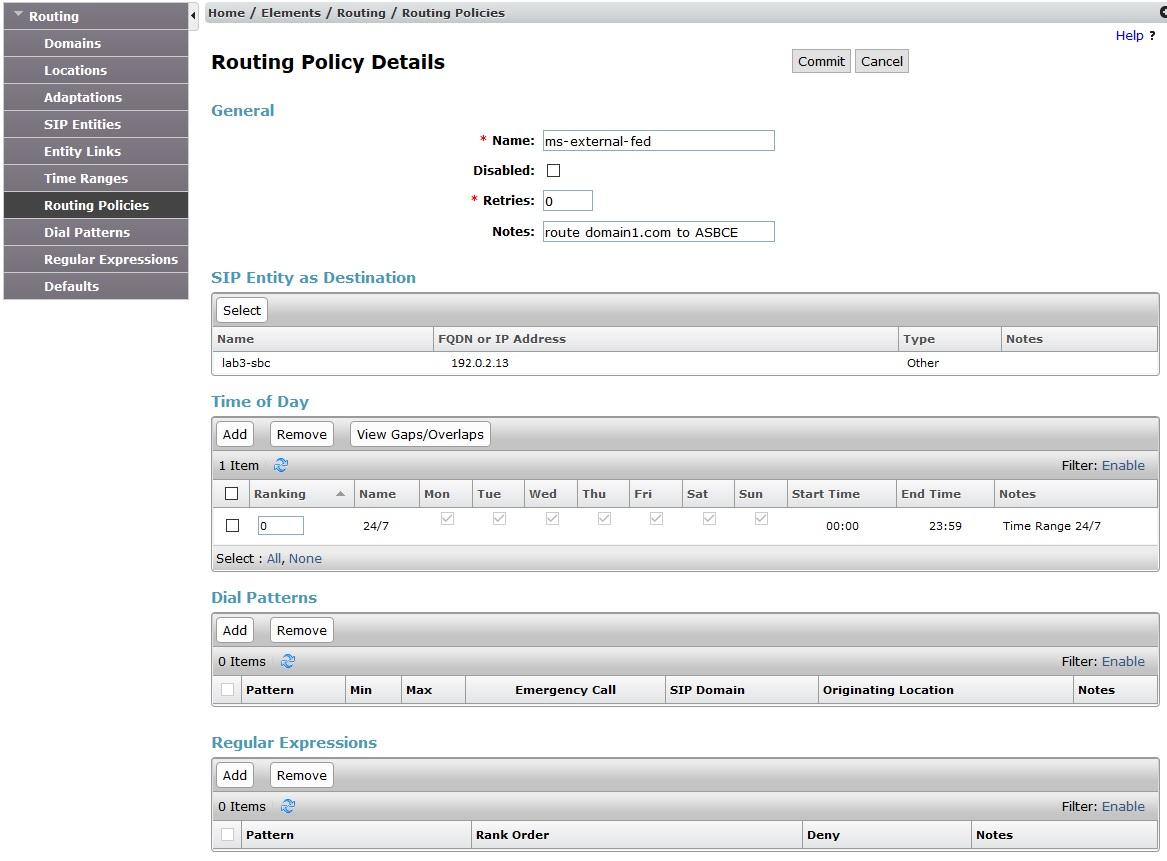
- Click New, and enter the required data.
- Enter a name, for example
ms-external-federation
. - Clear the disabled box.
- Set retries to 0.
- Enter relevant notes.
- Select the destination SIP entity created earlier.
- Time of Day, Dial Patterns and Regular Expressions can be left in their default states.
- Enter a name, for example
- Click Commit to create the routing policy.