AVAYA DOCUMENTATION CENTER
Find answers to your technical questions and learn how to use our products
Avaya Aura Presence Services Snap-in Reference
Mapping LDAP entry to Presence/IM handle using AADS
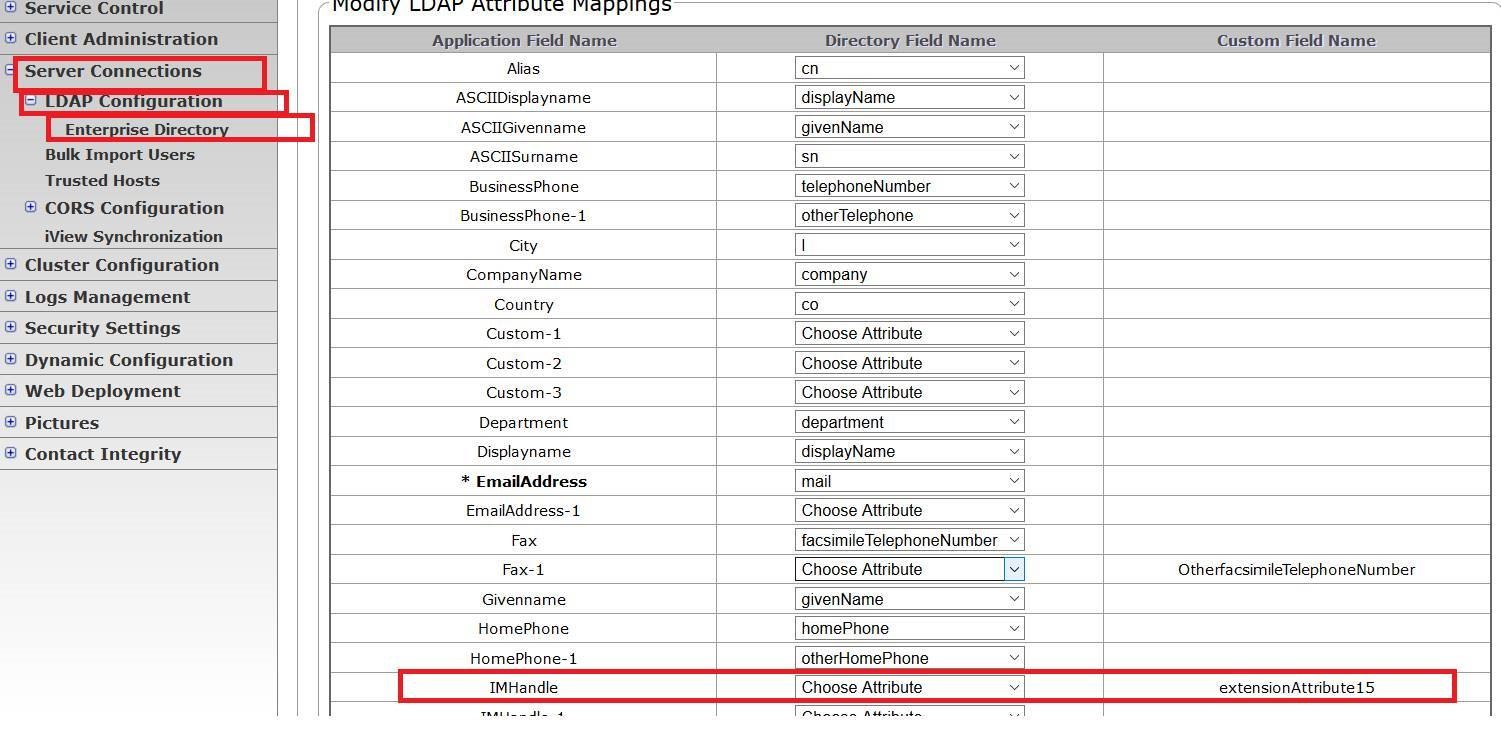
- On the Avaya Aura® Device Services web console, navigate to .
- At the bottom of the Enterprise Directory Configuration screen, click Modify Attribute Mappings.
- On the Modify LDAP Attribute Mappings screen, select IMHandle and enter the attribute used in your Enterprise directory under the Directory Field Name.
ADDITIONAL INFORMATION:In the following example, user’s Presence handle from System Manager is entered under extensionAttribute15. In this scenario, the IM handle is mapped to custom field extensionAttribute15.