AVAYA DOCUMENTATION CENTER
Find answers to your technical questions and learn how to use our products
Avaya Aura Presence Services Snap-in Reference
Setting up required certificates for Session Manager
- Log in to the System Manager as the administrator.
- Select Inventory from the Services group, and select Manage Elements.
- Find and select the Session Manager in the list of elements.
- In the More Actions field, click Manage Trusted Certificates.
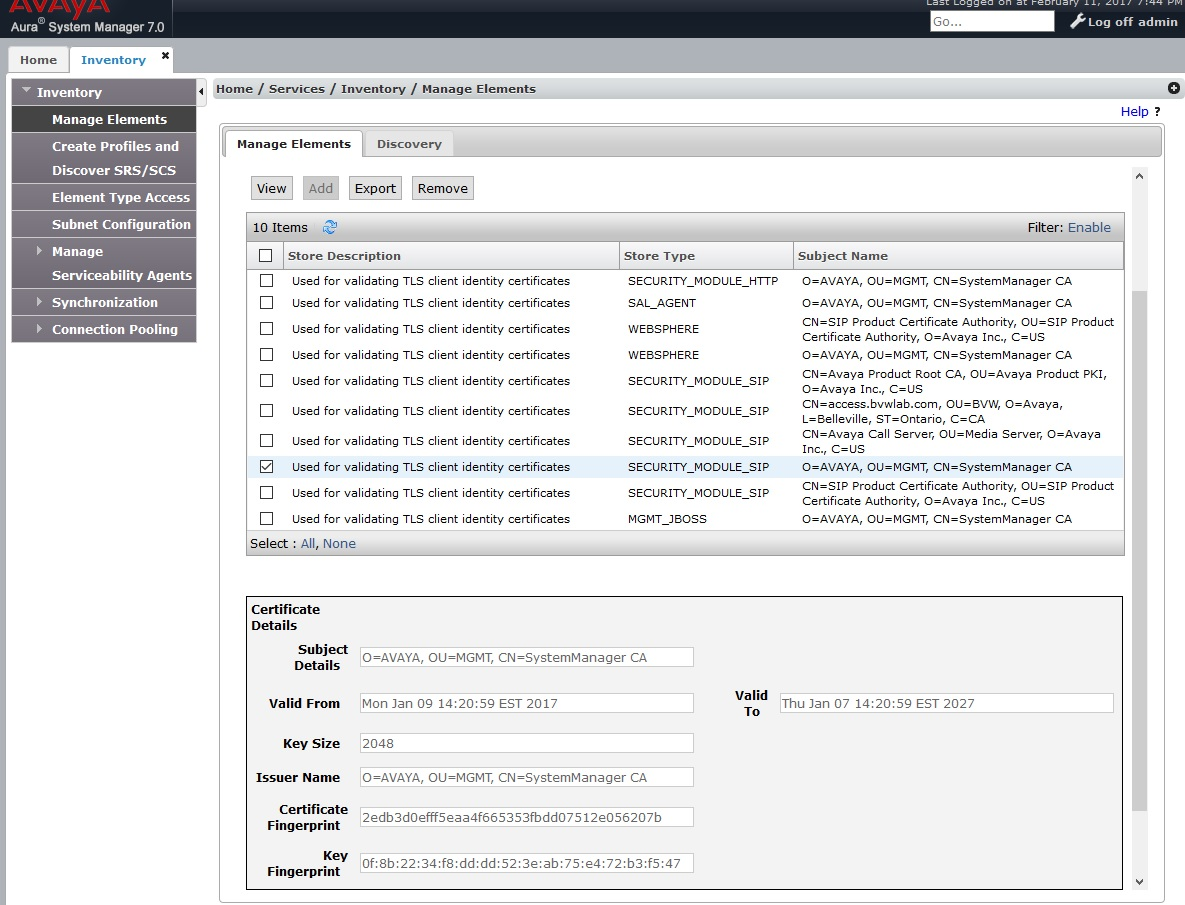
- The CA certificate that was used to sign the Avaya Session Border Controller for Enterprise identity certificate must be loaded into the SECURITY_MODULE_SIP trust store so that the Session Manager can validate the Avaya Session Border Controller for Enterprise identity certificate.
The System Manager Default CA was used, and is selected in the following example: