AVAYA DOCUMENTATION CENTER
Find answers to your technical questions and learn how to use our products
Avaya Aura Presence Services Snap-in Reference
Adding Session Manager routing policies
- Log in to the System Manager as an administrator.
- Navigate to , and then click Routing Policies.
- Click New, and do the following:
- Enter a name. For example,
ms-muc-to-ps-node1
. - Clear the Disabled check box.
- Set retries to 0.
- Enter relevant notes.
- Select the Destination SIP Entity as the Presence Services or Breeze node. In a multi-node cluster, use the first node.
- Time of Day, Dial Patterns and Regular Expressions can be left in their default states.
- Enter a name. For example,
- Click Commit to create the routing policy.
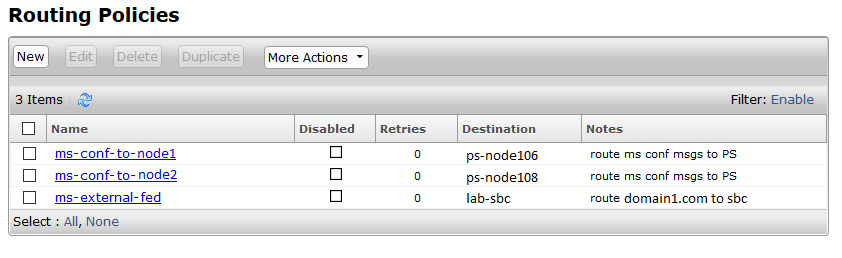
ADDITIONAL INFORMATION:Repeat this procedure for each node in the Presence Services cluster.The following screenshot shows an existing routing policy for the Avaya Session Border Controller for Enterprise and two new policies for multi-user chat support.