AVAYA DOCUMENTATION CENTER
Find answers to your technical questions and learn how to use our products
Avaya Aura Presence Services Snap-in Reference
Viewing the Alarm events in OpenNMS
- On the OpenNMS web console, navigate to .
STEP RESULT:This page will display the node summary page for the Avaya Breeze® platform server.
- Click View Events to view any received alarms.
ADDITIONAL INFORMATION:The following image shows the raised and cleared events that were generated from the alarms raised and cleared in the earlier section.
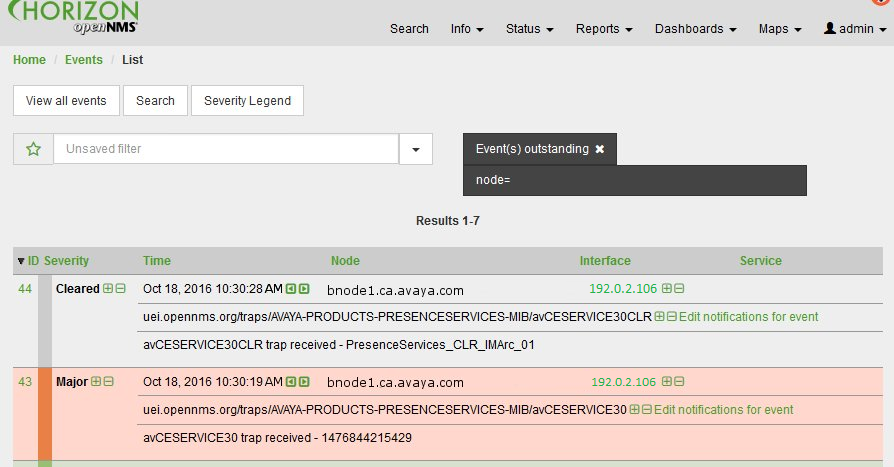 In this example, event 43 is a major alarm and event 44 is the clear event for the major event 43.
 - To view the details of the alarm, click on the green link on the event number.
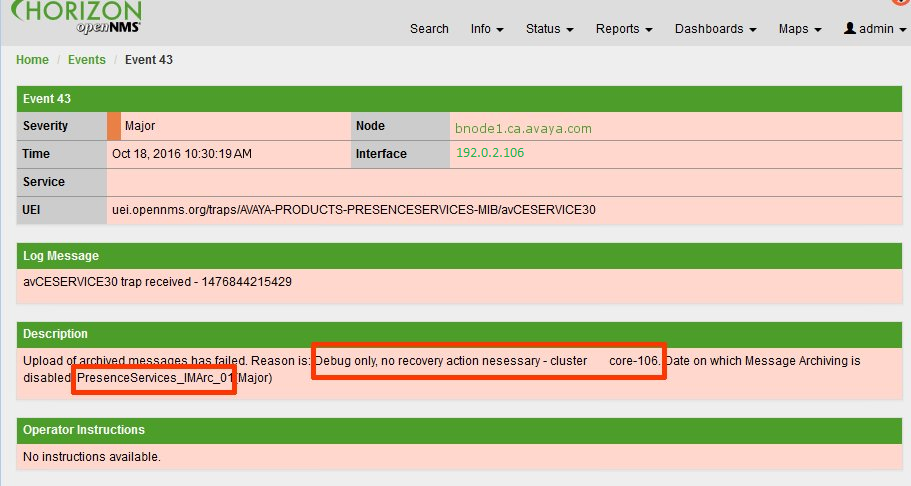
ADDITIONAL INFORMATION:The %parm[#xx]% parameters from the event definition have been updated with the actual alarm data as received from the Avaya Breeze® platform server. The following example shows two highlighted parameters in the Description field.