AVAYA DOCUMENTATION CENTER
Find answers to your technical questions and learn how to use our products
Avaya Aura Presence Services Snap-in Reference
Adding new signaling manipulation scripts RestoreFromTag and AddSvc
- Log in to the Avaya Session Border Controller for Enterprise server as an administrator.
- Click .
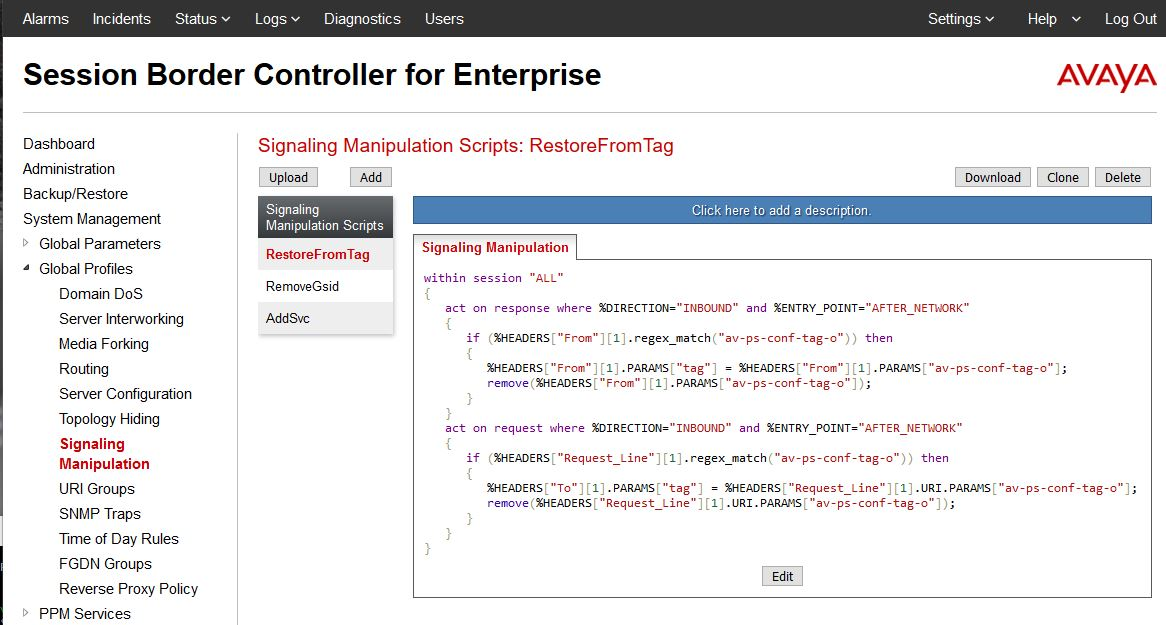
- Click Add, and set the title to RestoreFromTag and add the script as follows:
ADDITIONAL INFORMATION:
within session "ALL"
 {
  act on response where %DIRECTION="INBOUND" and %ENTRY_POINT="AFTER_NETWORK"
  {
   if (%HEADERS["From"][1].regex_match("av-ps-conf-tag-o")) then
   {
    %HEADERS["From"][1].PARAMS["tag"] = %HEADERS["From"][1].PARAMS["av-ps-conf-tag-o"];
    remove(%HEADERS["From"][1].PARAMS["av-ps-conf-tag-o"]);
   }
  }
  act on request where %DIRECTION="INBOUND" and %ENTRY_POINT="AFTER_NETWORK"
  {
   if (%HEADERS["Request_Line"][1].regex_match("av-ps-conf-tag-o")) then
   {
    %HEADERS["To"][1].PARAMS["tag"] = %HEADERS["Request_Line"][1].URI.PARAMS["av-ps-conf-tag-o"];
    remove(%HEADERS["Request_Line"][1].URI.PARAMS["av-ps-conf-tag-o"]);
   }
  }
} - Click Save.
ADDITIONAL INFORMATION:
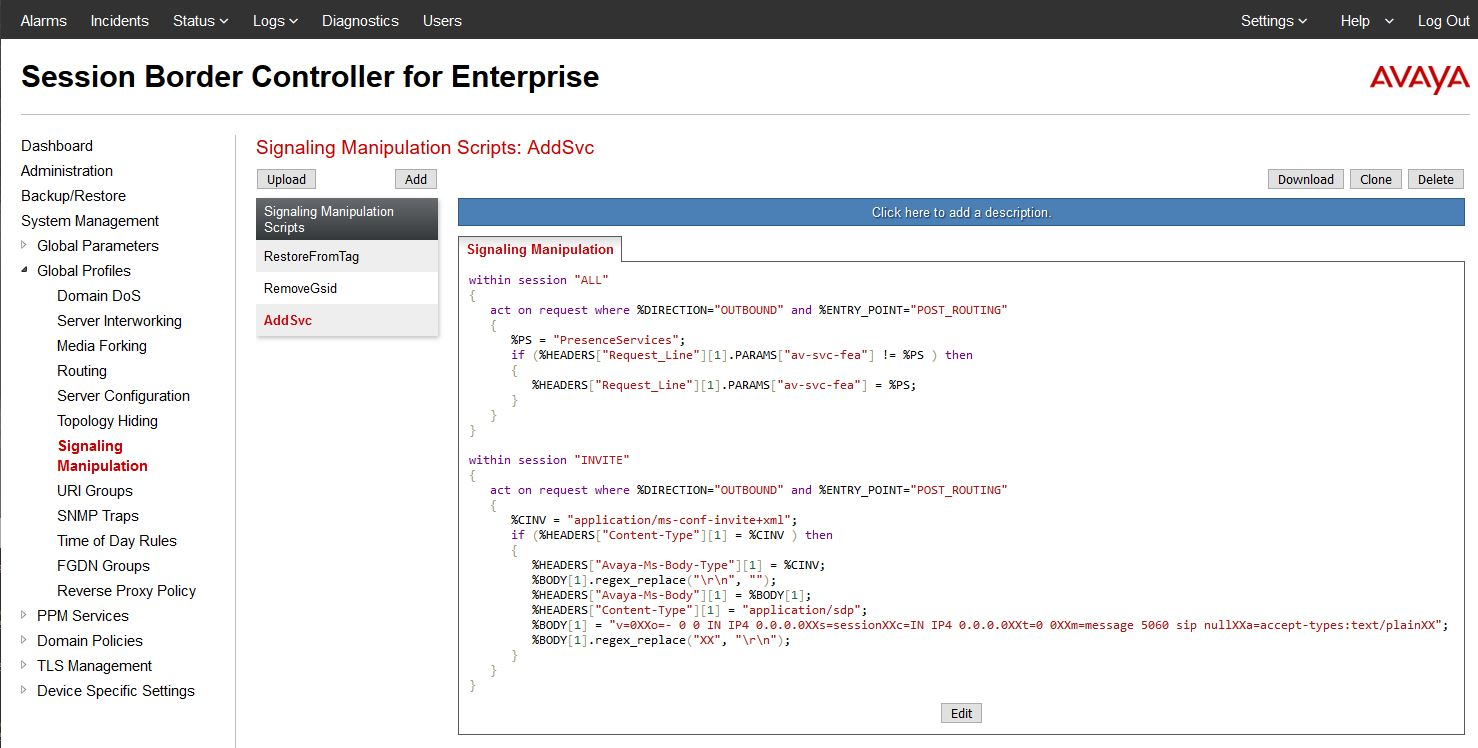
- Click Add, and set the title to AddSvc and add the script as follows:
ADDITIONAL INFORMATION:
within session "ALL"
 {
  act on request where %DIRECTION="OUTBOUND" and %ENTRY_POINT="POST_ROUTING"
  {
   %PS = "PresenceServices";
   if (%HEADERS["Request_Line"][1].PARAMS["av-svc-fea"] != %PS ) then
   {
    %HEADERS["Request_Line"][1].PARAMS["av-svc-fea"] = %PS;
   }
  }
 }
 within session "INVITE"
 {
  act on request where %DIRECTION="OUTBOUND" and %ENTRY_POINT="POST_ROUTING"
  {
   %CINV = "application/ms-conf-invite+xml";
   if (%HEADERS["Content-Type"][1] = %CINV ) then
   {
    %HEADERS["Avaya-Ms-Body-Type"][1] = %CINV;
    %BODY[1].regex_replace("\r\n", "");
    %HEADERS["Avaya-Ms-Body"][1] = %BODY[1];
    %HEADERS["Content-Type"][1] = "application/sdp";
    %BODY[1] = "v=0XXo=- 0 0 IN IP4 0.0.0.0XXs=sessionXXc=IN IP4 0.0.0.0XXt=0 0XXm=message 5060 sip nullXXa=accept-types:text/plainXX";
    %BODY[1].regex_replace("XX", "\r\n");
   }
  }
} - Click Save.
ADDITIONAL INFORMATION: