AVAYA DOCUMENTATION CENTER
Find answers to your technical questions and learn how to use our products
Avaya Aura Presence Services Snap-in Reference
Creating End Point Flows
- Log in to the Avaya Session Border Controller for Enterprise server as the administrator.
- Click .
- Click Add to create the End Point Flow for the Session Manager.
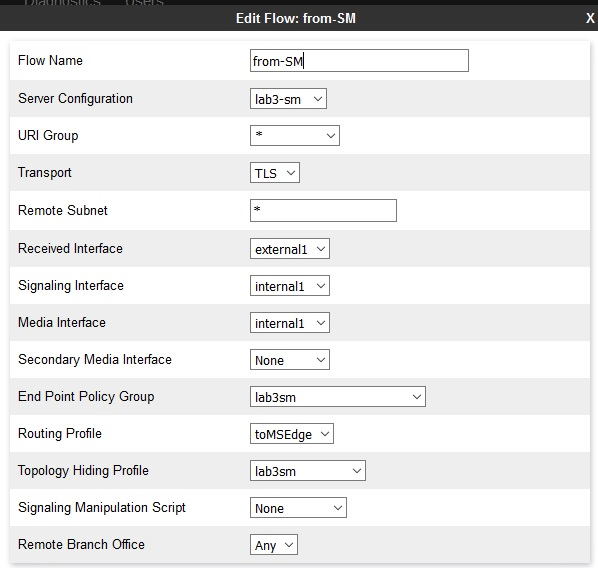
- Set the name of the flow to from-SM.
- Set up the options and profiles create above as show in the following figure:
ADDITIONAL INFORMATION:
- Click Add to create the End Point Flow for the Microsoft Edge.
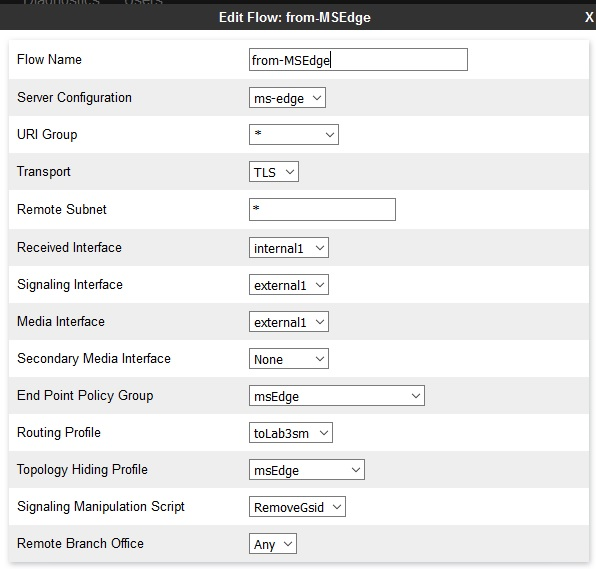
- Set the name of the flow to from-Edge.
- Setup the options and profiles created above as shown in the following figure:
ADDITIONAL INFORMATION:Note:The Edge flow has the RemoveGsid Signaling Manipulation Script configured.
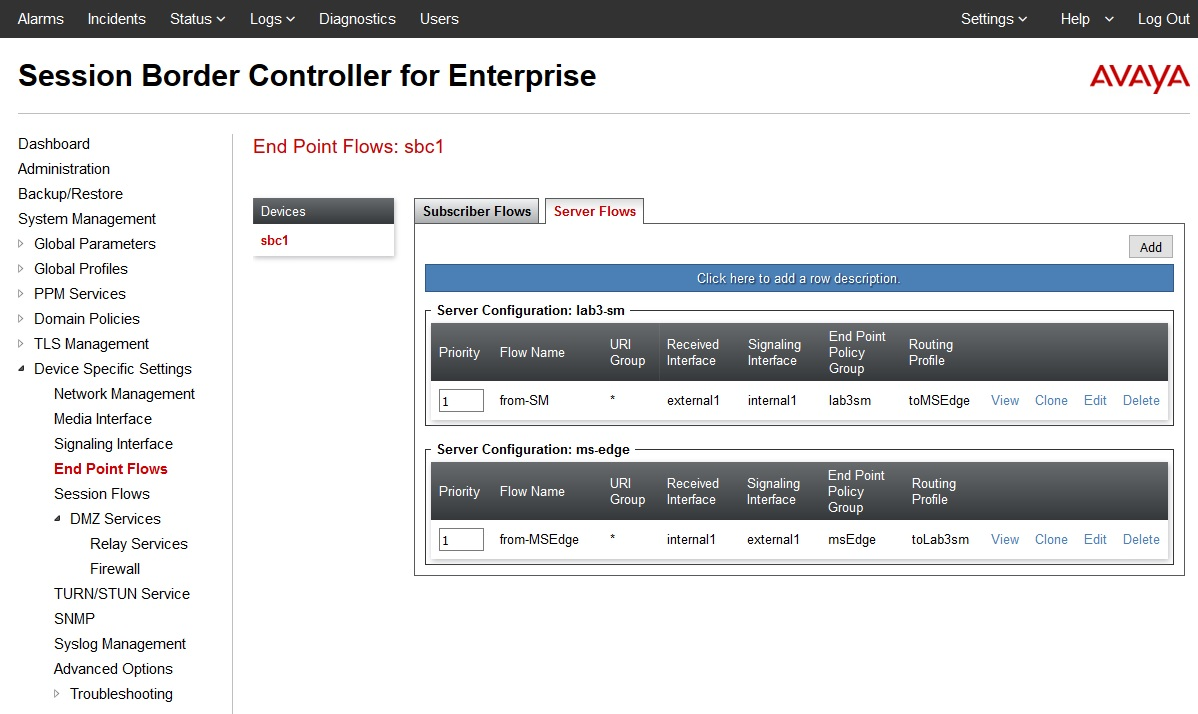
- The following shows the two End Point Flows: from-SM and from-MSEdge.
ADDITIONAL INFORMATION: