AVAYA DOCUMENTATION CENTER
Find answers to your technical questions and learn how to use our products
Avaya Aura Presence Services Snap-in Reference
Verifying DNS resolution and server reachability
This procedure uses the sample values in the
Single-server Cluster Federated with Ignite Openfire example valuestable in the
Key customer configuration information for XMPP federationsection.
- Open an SSH session to the Avaya Breeze® platform Management Module IP address.
- Run the nslookup command to verify that the xmpp-service resolves to the Openfire server IP address and S2S port for the Openfire XMPP domain.
ADDITIONAL INFORMATION:

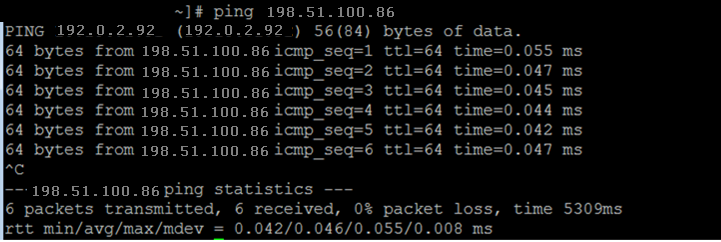
- Run the ping command to verify that the Openfire server is reachable.
- Access a command line interface on the Openfire server:
-
If Openfire has been installed on a Linux/Unix server, open an SSH session to the Openfire server IP address.
-
If Openfire has been installed on a Windows server, login to the server, and open a command line interface.
-
- Run the nslookup command to verify that the xmpp-service resolves to the Avaya Breeze® platform Security Module IP address and S2S port for Presence Services Presence/IM domains.
ADDITIONAL INFORMATION:
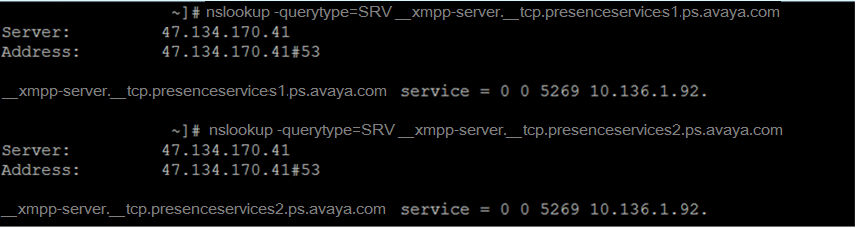
- Run the ping command to verify that the Presence Services servers are reachable.
ADDITIONAL INFORMATION: