AVAYA DOCUMENTATION CENTER
Find answers to your technical questions and learn how to use our products
Avaya Aura Presence Services Snap-in Reference
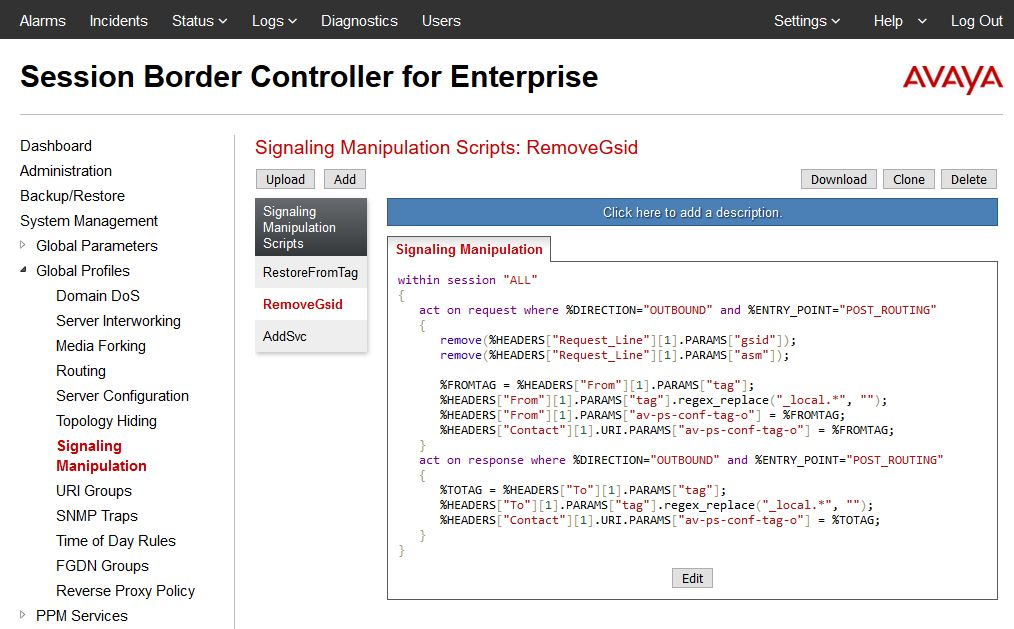
Updating the RemoveGsid Signaling Manipulation script
- Log in to the Avaya Session Border Controller for Enterprise server as an administrator.
- Click .
- From the Signaling Manipulation Scripts list, select the existing
RemoveGsid
script. - Click Edit , and update the scripts as follows:
ADDITIONAL INFORMATION:
within session "ALL"
 {
  act on request where %DIRECTION="OUTBOUND" and %ENTRY_POINT="POST_ROUTING"
  {
   remove(%HEADERS["Request_Line"][1].PARAMS["gsid"]);
   remove(%HEADERS["Request_Line"][1].PARAMS["asm"]);

   %FROMTAG = %HEADERS["From"][1].PARAMS["tag"];
   %HEADERS["From"][1].PARAMS["tag"].regex_replace("_local.*", "");
   %HEADERS["From"][1].PARAMS["av-ps-conf-tag-o"] = %FROMTAG;
   %HEADERS["Contact"][1].URI.PARAMS["av-ps-conf-tag-o"] = %FROMTAG;
  }
  act on response where %DIRECTION="OUTBOUND" and %ENTRY_POINT="POST_ROUTING"
  {
   %TOTAG = %HEADERS["To"][1].PARAMS["tag"];
   %HEADERS["To"][1].PARAMS["tag"].regex_replace("_local.*", "");
   %HEADERS["Contact"][1].URI.PARAMS["av-ps-conf-tag-o"] = %TOTAG;
  }
} - Click Save.
ADDITIONAL INFORMATION: