AVAYA DOCUMENTATION CENTER
Find answers to your technical questions and learn how to use our products
Avaya Aura Presence Services Snap-in Reference
Configuring the End Point Policy Groups
- Log in to the Avaya Session Border Controller for Enterprise server as the administrator.
- Click .
- Click Add and assign a name to the Policy Groups.
For example: lab3sm and msEdge.
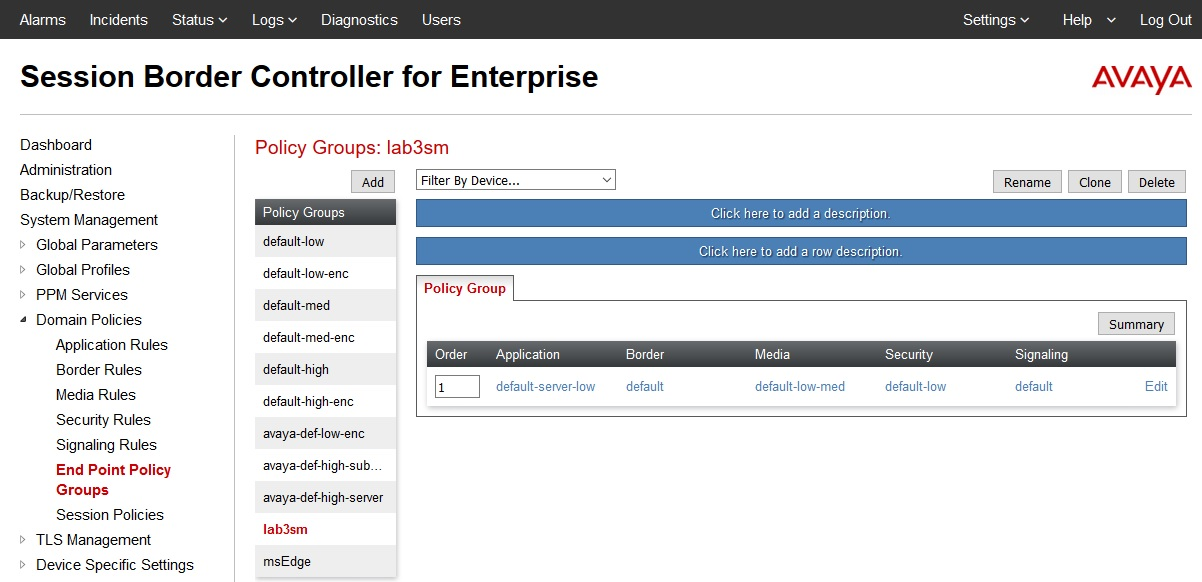
- For the lab3sm Policy Group, use the default settings as show in the following figure:
ADDITIONAL INFORMATION:
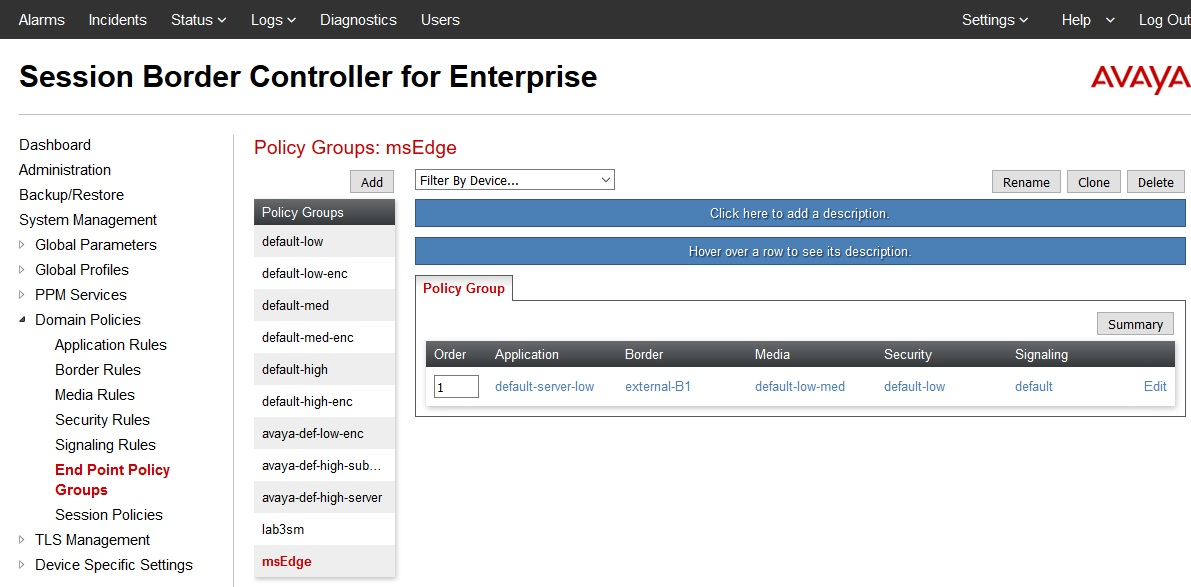
- For the msEdge Policy Group, use the default settings except for Border. Configure a specific border rule for the Microsoft Edge.
ADDITIONAL INFORMATION:As shown in the following figure, the Border Rules is named external-B1. Refer to the following Border Rule creation procedure.