AVAYA DOCUMENTATION CENTER
Find answers to your technical questions and learn how to use our products
Avaya Aura Presence Services Snap-in Reference
Verifying that Presence Services snap-in is ready to support Presence and IM
- On the System Manager web console, navigate to .
- Locate the row for the cluster, and verify that:
-
The Cluster Profile field shows Core Platform.
-
The Cluster State field shows Accepting.
-
The Cluster Database field is green, and the value of Number of active connections for the active is not zero.
-
The Data Replication field shows a green checkmark.
-
The Service Install Status field shows a green checkmark.
-
The Tests Pass field shows a green checkmark.
-
The Data Grid Status field shows Up or is green.
-
The Overload Status field shows a green checkmark.
-
- On the row for the cluster, use the arrow in the Details column to display the servers assigned to this cluster.
- For each server, verify that:
-
The Security Module field shows Up.
-
The value of the Server Version field is correct.
-
The Server State field shows Accepting.
-
The Cluster Database field is green.
-
The Cluster Database Connection shows a green checkmark.
-
The Data Replication field shows a green checkmark.
-
The Service Install Status field shows a green checkmark.
-
The Tests Pass field shows a green checkmark.
-
The Data Grid Status field shows Up.
ADDITIONAL INFORMATION:Following is an example of a single-server Presence Services cluster that is ready to support Presence and IM: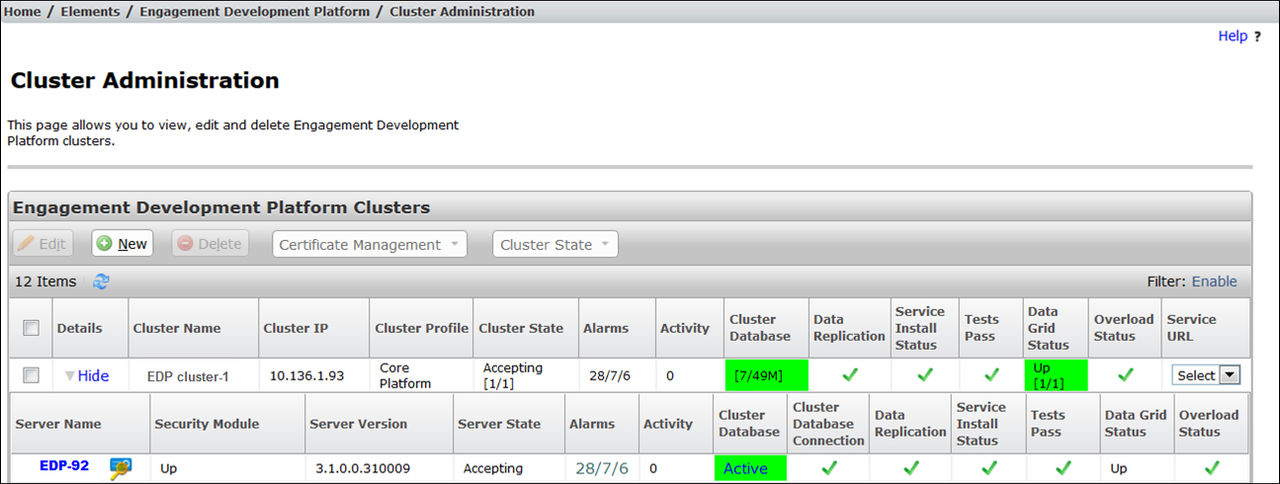
-
- Navigate to .
- Locate the row for the Presence Services snap-in, and click on the Presence Services link within the Name column.
ADDITIONAL INFORMATION:The system displays a PresenceServices: Avaya Breeze® Instance Status window.
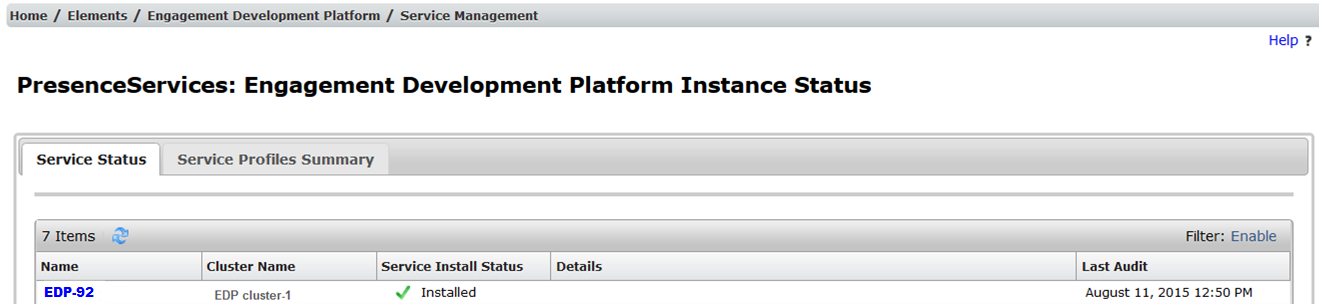
- Verify that the Service Install Status column shows Installed and a green checkmark in one or more rows.
- Verify that the Cluster Name column identifies the expected cluster.
ADDITIONAL INFORMATION:Following is an example of a Presence Services snap-in that is installed on a single-server cluster: