

AVAYA DOCUMENTATION CENTER
Find answers to your technical questions and learn how to use our products
Avaya Aura® Communication Manager Screen Reference
Audio Group
Use this screen to assign an audio group to the system. The audio group is a collection of recorded audio sources that have been placed in the group to facilitate the selection.
To add an audio group, use the following command:
add audio-group n, where n is the audio group number.
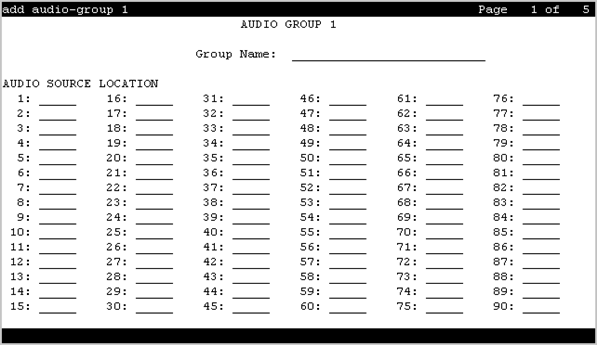
Audio Source Location
Use this field to assign a board location to the audio group. You must enter the value using one of the following formats:
gggvx, where ggg is a gateway number and vx is the module number.
Mx, where x is the media server number.
Group Name
Use this field to assign an alphanumeric name to the audio group.
Note:
Avaya BRI deskphones support only ASCII characters because non-ASCII characters, such as Eurofont and Kanafont, show up incorrectly.