

AVAYA DOCUMENTATION CENTER
Find answers to your technical questions and learn how to use our products
Avaya Aura® Communication Manager Screen Reference
Variables for Vectors
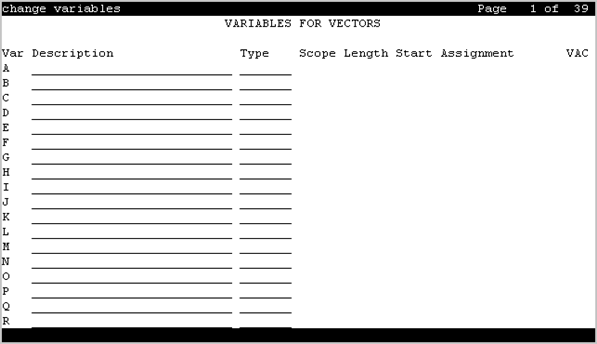
This screen creates variables and defines the necessary parameters for each variable type. Specifies the variable type, the name to use for the variable, the size of the variable, how the variable gets set or assigned, and whether the variable is local or global. Up to 702 variables can be supported using A to Z and AA to ZZ rows.
Example command: change variables
Assignment
A number to pre-assign to the variable. This field displays the current value for global values. Administration is optional. Available only when the type is value or collect G.
Description
An identifying name or description of the vector variable. Administration is optional. Default is blank. Accepts up to 27 characters.
Length
Valid Entry |
Usage |
|---|---|
1 to 16 |
The maximum number of digits from the data to assign to the variable. This field does not apply to the doy, dow, and tod variables. This entry is required for all types to which it applies. |
Scope
Valid Entry |
Usage |
|---|---|
G |
The variable is used globally. |
L |
The variable is used locally. |
Start
Valid Entry |
Usage |
|---|---|
1 to 96 |
Specifies the beginning character position of the data digits string to be used for assigning to the variable. The combination of the Start position and maximum length of the digits string defines what is to be assigned to the variable. If the number of digits to be used is less than the maximum length specified, only that portion is assigned to the variable. |
Type
Use this field to specify the vector variable type. The following are the valid entries:
ani
asaiuui
collect
dow
doy
stepcnt
tod
value
vdn
vdntime
agent
VAC
Valid Entry |
Usage |
|---|---|
1 to 9 blank |
The Vector Variable Feature Access Code (FAC) to use for changing the value. |
Var
Valid Entry |
Usage |
|---|---|
A to Z, AA to ZZ |
The letter identifying the row of a specific vector variable. |