

AVAYA DOCUMENTATION CENTER
Find answers to your technical questions and learn how to use our products
Avaya Aura® Communication Manager Screen Reference
Service Hours Table
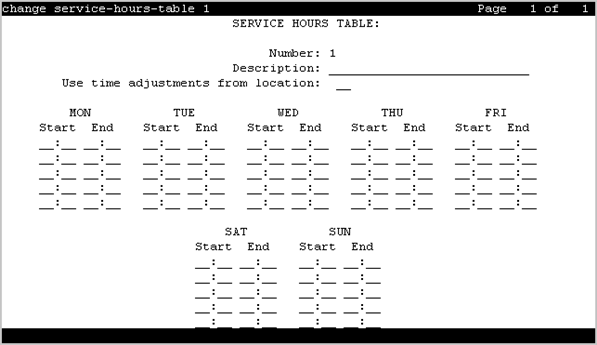
Specifies office service hours using up to 99 different tables. Available only if basic vectoring is enabled.
Example command: change service-hours-table n, where n is the service hours table number.
Description
A name that provides a description of the table. Accepts up to 27 characters. The default is blank.
Call-ahead Reservations
Number
The table number.
Start/End
The range of office hours for each day of the week.
A time is in the table from the first second of the start time (for example, 08:00:00) until the last second of the end time (for example, 17:00:59).
Valid Entry |
Usage |
|---|---|
0 to 23 |
Hour range. The hour range must be within the specified day, from 00:00 (midnight) until 23:59. |
0 to 59 |
Minute range. |
Use Time Adjustments from Location
The location number that specifies how time zone offset and daylight saving rule adjustments are performed.