Downloading the pem file to Communication Manager

Last Updated : Sep 30, 2016 |

Procedure

  1. Log in to a Communication Manager web console.
  2. Click Administrator > Server (Maintenance).
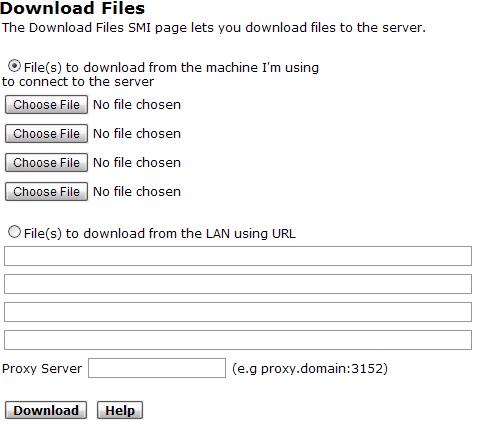
  3. In the left navigation pane, click Miscellaneous > Download Files.
  4. Select the Files to download from the machine I’m using to connect to the server option.
  5. Click Choose File to browse to the downloaded certificate.
  6. Click Download.

    The system displays the Download Files Results page with a message that the download is successful.