AVAYA DOCUMENTATION CENTER
Find answers to your technical questions and learn how to use our products
Administering Avaya Aura® System Manager
Tenant Management web console
From the System Manager web console, the user with tenant administrator permissions can perform the following:
View all tenants in the Tenants panel for which the tenant administrator has permissions. By default, the system selects the first tenant in the list.

View all child levels of the selected item in the subsequent panel.
When the tenant administrator selects an item, the system:
Selects all parent items of the selected item.
Displays the child levels of the selected item in the subsequent panel.
When the tenant administrator clears all selections in a panel, the system displays the default selection.
Note:Select at least one tenant. If you do not select a tenant, the system displays a message.
Gain access to:
User Management
Communication Manager. Only if the role has permissions to Communication Manager
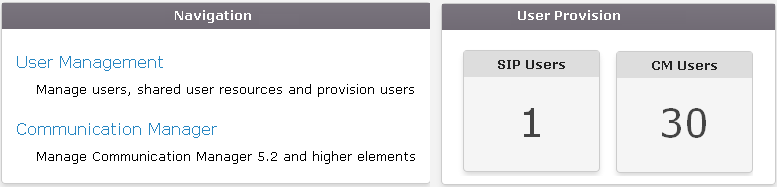
View the User Provision section that displays the number of SIP and H.323 users to which the tenant administrator has permissions.
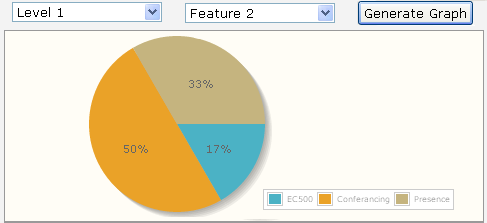
Select the organizational hierarchy of the tenant and features in the Graph section and generate graphs.
The features include EC500, Presence, H.323 users, and SIP users. The system generates Pie charts based on the user selection. If the tenant administrator does not select a level from the Organization level field, the system generates graphs based on items selected in the panels.