

AVAYA DOCUMENTATION CENTER
Find answers to your technical questions and learn how to use our products
Administering Avaya Aura® System Manager
Copying the CRL URL
Procedure
- On the web browser, type https://<Fully Qualified Domain Name>/SMGR, the System Manager URL.
- On the address bar, click the Lock icon.
- Click View certificates.
- On the Certificate dialog box, do the following:
- Scroll down and click the CRL Distribution Points field.
The system displays the CRL URL in the text box.
For example: http://<vFQDN>/ejbca/publicweb/webdist/certdist?cmd=crl&issuer=CN=System%20Manager%20CA,OU=MGMT,O=AVAYA
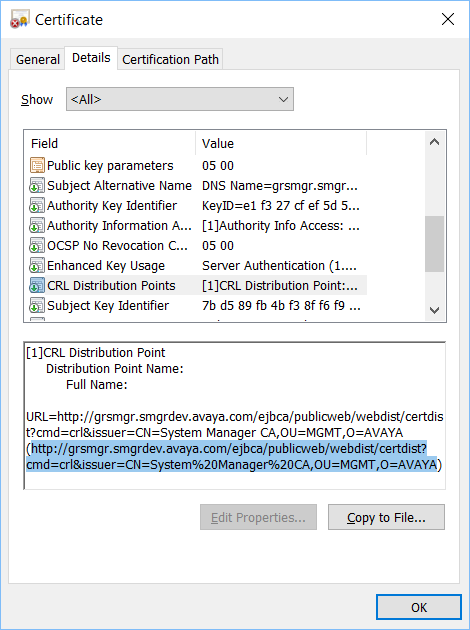
- Scroll down and click the CRL Distribution Points field.