

On the System Manager web console, click Users > Groups & Roles.
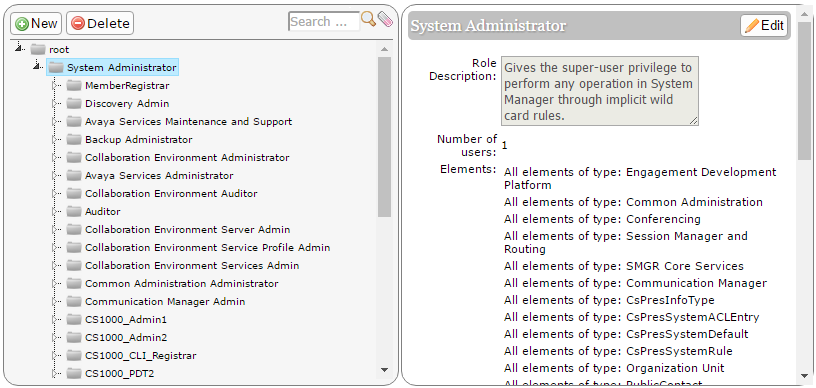
In the navigation pane, click Roles.
On the Roles page, select an existing role, and do one of the following:
Click New
Right-click and select New
The role that you selected becomes the parent of the role that you create. The permissions available to the new role limit to the permissions of the parent role.
On the Add New Role page, type the name and the description for the role.
Click Commit and Continue.
Click Add Mapping under Element/Service Permissions section.
In the Element or Resource Type field, click Communication Manager.
On the Roles page, select an existing role, and do one of the following:
Click New
Right-click and select New
The role that you selected becomes the parent of the role that you create. The permissions available to the new role limit to the permissions of the parent role.
On the Add New Role page, type the name and the description for the role.
Click Commit and Continue.
On the Role Details page, in the Element/Service Permissions section, click Add Mapping.
In the Element or Resource Type field, click Communication Manager.
In Group Name, select the group of Communication Manager systems to which you want to apply this permission.
You can leave Group Name blank if you do not want to select any group.
In the Element or Resource Type field, click Communication Manager.
In the Element or Resource Instance field, click a Communication Manager instance to which you want to apply this permission.
When you select Group Name, System Manager disables this field.
Click Next.
On the Permission Mapping page, expand the Hunt Group permission list by clicking on the arrow next to it. Enter the range you want to specify in the Group Number Range and Group Extension Range fields.
You can specify a definite range, enter comma separated values, or * for all extensions.
You can also assign operation permissions like Add, Edit, Delete, List Usage, and View.
The user can perform only the actions that are assigned in the operation permissions.