AVAYA DOCUMENTATION CENTER
Find answers to your technical questions and learn how to use our products
Administering Avaya Call Management System
Viewing firewall status information in the Web Client
About this task
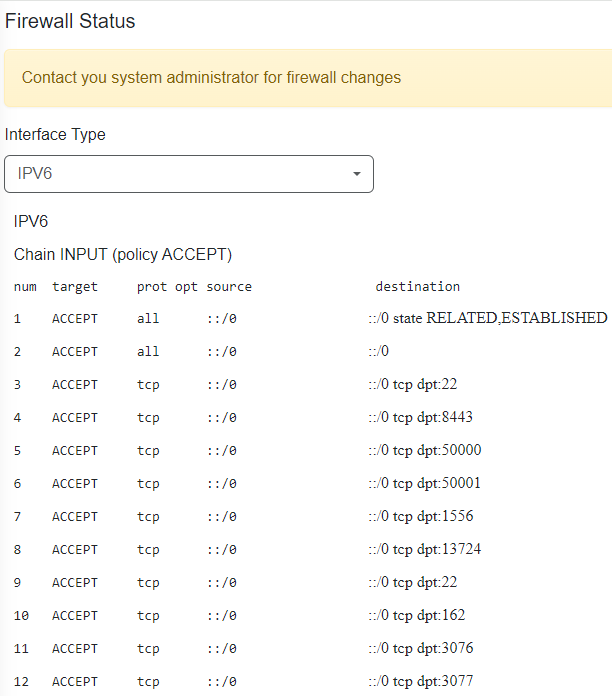
You can view firewall status information for the IPv4 or IPv6 protocol. Status information is only displayed if the firewall is running.
Procedure
Example
The following example image shows a snippet of the type of information displayed: