

AVAYA DOCUMENTATION CENTER
Find answers to your technical questions and learn how to use our products
Administering Avaya Contact Center – Extended Capacity
Contact Center Administration tabs
Contact Center Administration is an application that a system administrator, a services user, a tenant administrator, and a supervisor can use to manage contact center functionality and objects. As a system administrator or a services user, you can access all data in Contact Center Administration. As a tenant administrator or a supervisor, you can access the data assigned to the tenant.
Some Contact Center Administration tabs contain subtabs. For example, you can use the Contact Center subtabs to manage contact center settings or the System subtabs to configure network settings and the dial plan.
Configuration Server web portal displays the following tabs for the Contact Center Administration:
|
Tab icon
|
Tab name
|
Subtab name
|
Subtab description
|
|
|---|---|---|---|---|
 |
Contact Center
|
Agents
|
You can use this subtab to manage the agents configuration. You can also export the created configuration or manually import agent data.
|
|
|
Announcements
|
You can use this subtab to manage the configuration of the announcements that the user hears when the call is on hold or in the skill queue.
|
|||
|
Holiday Tables
|
You can use this subtab to manage the configuration of the holiday tables that the contact center uses for processing calls during the configured holiday time.
|
|||
|
Reason Codes
|
You can use this subtab to manage the configuration of reason codes that agents use to log out of the contact center or go into Aux work mode.
|
|||
|
Service Hours Tables
|
You can use this subtab to specify working hours of your contact center for each day of the week.
|
|||
|
Skills
|
You can use this subtab to manage the configuration of the skills that you can later assign to a VDN or a group of agents to process calls of the same service category. You can also export or import skill data.
|
|||
|
Vector Variables
|
You can use this subtab to manage the configuration of the variables that you use for call vectoring.
|
|||
|
Vectors
|
You can use this subtab to manage vector configuration. Vectors determine how the contact center routes and handles calls. You can also export vector data.
|
|||
|
Vector Directory Numbers (VDNs)
|
You can use this subtab to manage the VDN configuration. The contact center uses VDNs for directing incoming calls to vectors. You can also export or import VDN data.
|
|||
|
Vector Routing Tables
|
You can use this subtab to manage the configuration of the vector routing tables.
|
|||
 |
Coverage
|
Coverage Paths
|
You can use this subtab to manage the coverage paths configuration. The contact center uses coverage paths to redirect calls when the agent is logged out or does not answer the call.
|
|
|
Coverage Answer Group
|
You can use this subtab to manage the coverage answer group configuration. The contact center uses coverage answer groups as coverage points.
|
|||
 |
Endpoints
|
Manage Endpoints
|
You can use this subtab to manage the endpoints configuration. You can also export the created configuration or manually import endpoint data.
|
|
 |
Parameters
|
Global Configurations
|
You can use this subtab to configure global settings for your contact center features, media, and network parameters. You can also set up default settings for dialing and routing, such as using an external prefix and permission sets for external callers.
|
|
|
VuStats
|
You can use this subtab to configure agent and skill statistics that agents and supervisors can view on the phone.
|
|||
|
Trunk Groups
|
You can use this subtab to manage trunk groups for providing call information to Call Management System (CMS).
|
|||
 |
System
|
Dial Plan Analysis
|
You can use this subtab to configure a dial plan to determine how the contact center processes dialed numbers and agent login IDs for call routing.
|
|
|
Dial Plan Call Types
|
You can use this subtab to configure different call types for managing your dial plan configuration.
|
|||
|
Network Locations
|
You can use this subtab to manage the configuration of network locations. A network location is a specific set of network settings that the Configuration Server applies to endpoints based on the endpoint IP address.
|
|||
|
Number Adaptations
|
You can use this subtab to configure number adaptations. Number adaptations convert calling and called party numbers from the local dial plan of a SIP entity to the dial plan administered on the Configuration Server and vice versa.
|
|||
|
Agent Profiles
|
You can use this subtab to manage the configuration of agent profiles. You can use the created agent profiles when configuring other contact center objects, including agents, endpoints, vectors, and dial plans.
|
|||
|
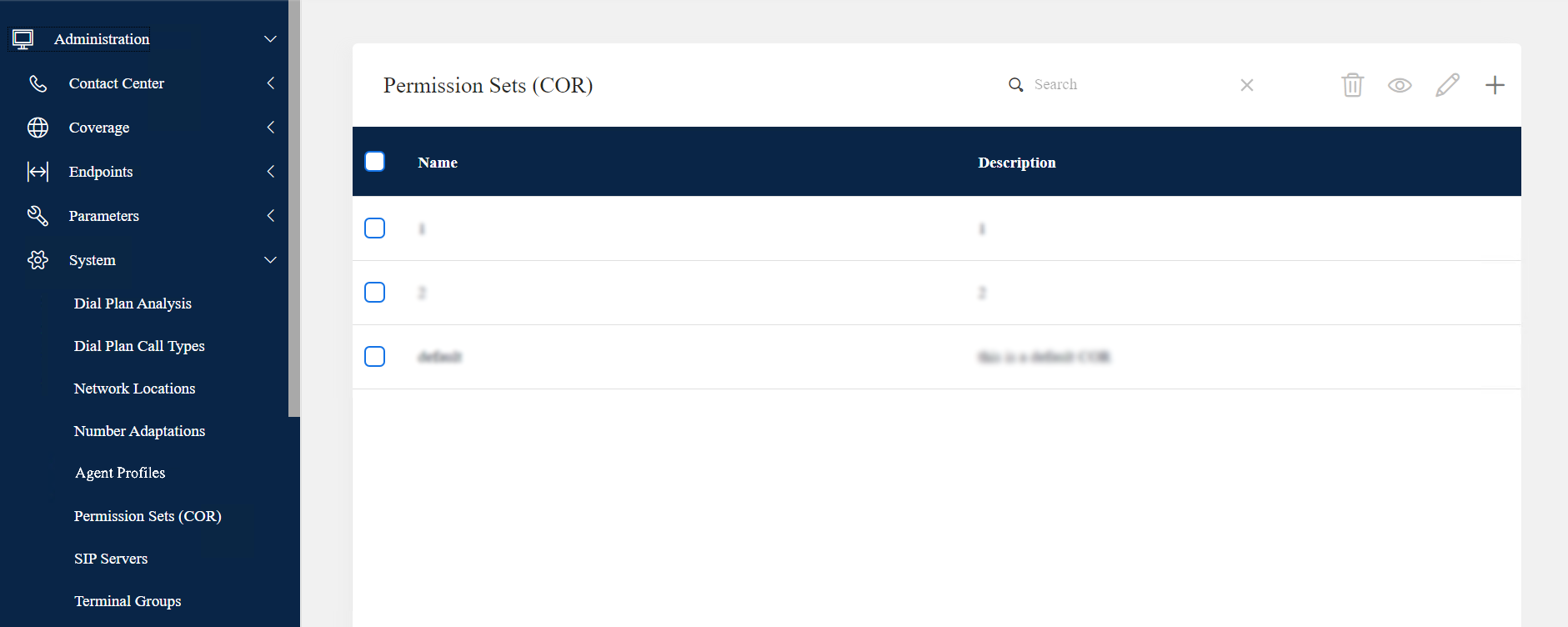
Permission Sets (COR)
|
You can use this subtab to manage the configuration of the permission sets that allow agents and supervisors to access contact center features.
|
|||
|
SIP Servers
|
You can use this subtab to manage the configuration of the SIP servers for establishing connections between endpoints and transferring media parameters. You can also export or import SIP server data.
|
|||
|
Terminal Groups
|
You can use this subtab to manage the configuration of the terminal groups for setting up common network parameters for a group of endpoints.
|
|||
|
Voice Mail Servers
|
You can use this subtab to manage the configuration of voicemail servers. You can use voicemail servers to redirect direct agent or non-ACD calls to the voicemail number when an agent or a supervisor logs out or does not answer the call.
|
|||
|
Group Calls
|
You can use this subtab to manage the group call configuration. The contact center uses group calls to present incoming calls to all available users within the group.
|
|||
 |
Import
|
—
|
You can use this tab to import data from your previous contact center to Avaya Contact Center – Extended Capacity.
|
|
 |
AES Servers
|
—
|
You can use this tab to add AE Services servers to the Configuration Server, view the list of configured AE Services servers, and edit the connection details.
|
|
 |
CTI Links
|
—
|
You can use this tab to administer a CTI link from the Configuration Server to AE Services to use TSAPI, JTAPI, or DMCC with Call Control clients.
|
|
 |
CMS Links
|
—
|
You can use this tab to configure a connection to Call Management System to process your call traffic data and generate supervisor reports.
|
|
 |
Maintenance Shell
|
—
|
You can use this tab to perform contact center maintenance operations. For more information about maintenance procedures, see Maintaining Avaya Contact Center – Extended Capacity.
|
|
 |
Customer Journey
|
Journey Profile
|
You can use this subtab to configure customer journey profiles, call and agent events, and their associated attributes. The contact center uses journey profiles to track interactions with the caller and present the caller data to the agent. You can export the customer journey configuration or manually import the customer journey data.
|
|
|
Data Store
|
You can use this subtab to specify connection details to the data store server that handles requests to store and retrieve customer data.
|
|||