

AVAYA DOCUMENTATION CENTER
Find answers to your technical questions and learn how to use our products
Administering Avaya Contact Center – Extended Capacity
Security App tabs
The Security App is an application that a super administrator can use for user management. As a super administrator, you can manage users and user permissions and assign users with global and local roles.
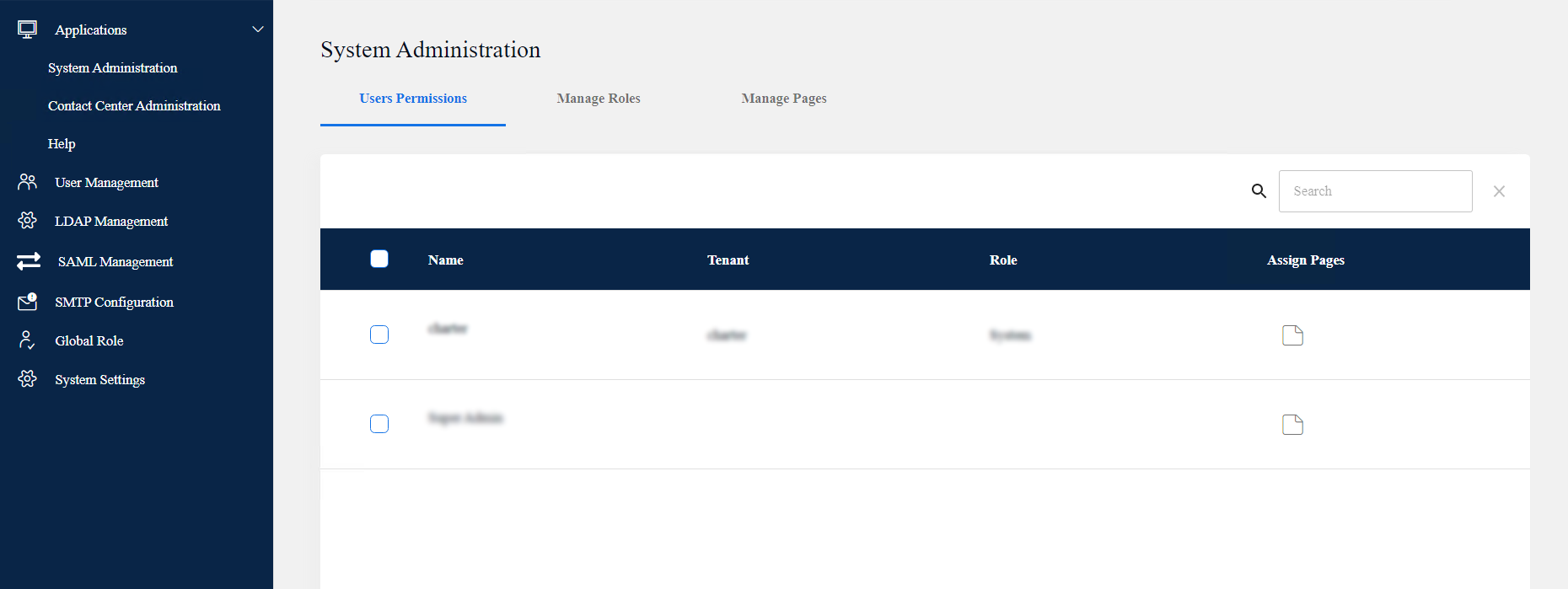
The Configuration Server web portal displays the following tabs for the Security App:
|
Tab icon
|
Tab name
|
Subtab description
|
|---|---|---|
 |
Applications
|
You can use this tab to configure user permissions within the System Administration, Contact Center Administration, and Online Help applications. You can also manage local role access.
|
 |
User Management
|
You can use this tab to manage users and assign global roles to them.
|
 |
LDAP Management
|
You can use this tab to connect to an LDAP storage provider to pull the corresponding user database to Avaya Contact Center – Extended Capacity.
|
 |
SAML Management
|
You can use this tab to configure the Security Assertion Markup Language (SAML) authentication. With SAML authentication, users can log in to the Configuration Server web portal through the application of identity provider.
|
 |
SMTP Configuration
|
You can use this tab to add a Simple Mail Transfer Protocol (SMTP) server to send emails to the Configuration Server web portal users.
|
 |
Global Role
|
You can use this tab to manage default and user-defined global roles. You can assign the added global roles to users.
|
|
System Settings
|
You can use this tab to manage the Configuration Server web portal settings, including the number of users that can simultaneously access the portal. You can also configure a message that the Configuration Server web portal displays on the Login screen.
|