AVAYA DOCUMENTATION CENTER
Find answers to your technical questions and learn how to use our products
Administering Avaya IP Office using Manager
Programming Buttons with IP Office Manager
This process edits the programmable buttons for individual users.
You can also use user rights to create a set of programmable buttons that are simultaneously applied to multiple users. See Configuring User Rights.
Procedure
- Select the
 User required to display their configuration details.
 - Select Button Programming. The number of buttons displayed is based on the phone associated with the user when the configuration was loaded. This can be overridden by selecting Display All Buttons. This may be necessary for users who switch between different phones using hot desking or have an expansion unit attached to their phone.
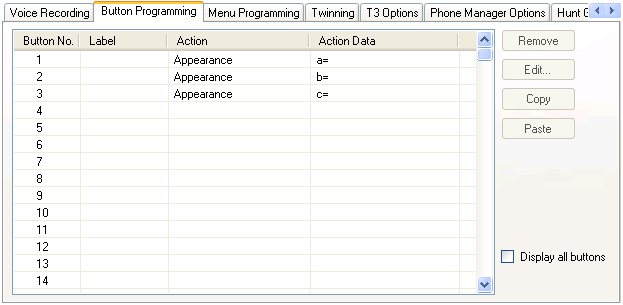
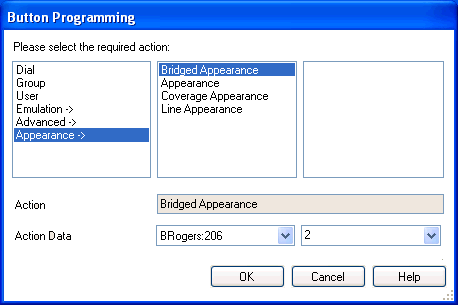
- Edit the settings as required. Use the .... button to display the menu for selecting the required button action. Select the action and set the action data, then click OK.