

AVAYA DOCUMENTATION CENTER
Find answers to your technical questions and learn how to use our products
Administering Avaya IP Office using Manager
Auto Hold
Auto Hold is a system wide feature that affects all appearance button users. This feature determines what happens when a user, who is already on a call, presses another appearance button. The options are:
If Auto Hold is off, the current call is disconnected.
If Auto Hold is on, the current call is placed on hold.
Auto Hold Example 1
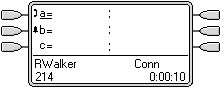
In this example, the user has two calls currently shown on call appearance buttons. Answer Pre-Select is off.
 |
|
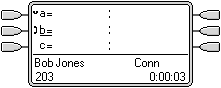 |
Auto Hold On When the second call appearance key is pressed, that call is answered and the first call is put on hold, shown by the |
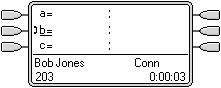 |
Auto Hold Off When the second call appearance key is pressed, that call is answered and the first call is disconnected. |
 icon. A second call is now alerting on their second call appearance button, shown by the
  icon.
icon. icon. The user can switch between calls using the call appearance buttons and make/receive other calls if they have additional call appearance buttons