

AVAYA DOCUMENTATION CENTER
Find answers to your technical questions and learn how to use our products
Administering Avaya IP Office with Web Manager
Paging to an External Paging Device
Paging Interface Device
Uses a paging interface device such as a UPAM or amplifier with analog trunk/extension interface. The device can be connected to an analog trunk port or analog extension port.
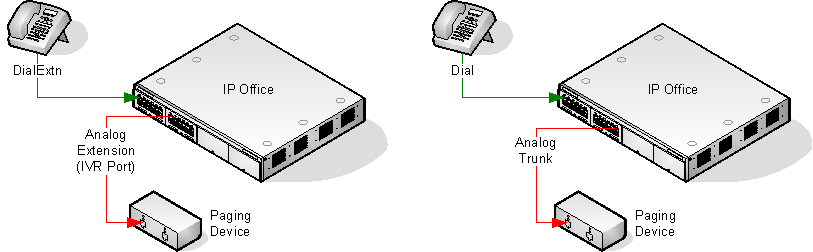
If connected to a trunk port:
Use a short code set to Dial and the same Line Group ID as the Outgoing Line ID set for the analog trunk.
If connected to an extension port:
Set the analog extension as an IVR Port in the system configuration ().
Use a short code or programmable button set to use Dial Extn.