

AVAYA DOCUMENTATION CENTER
Find answers to your technical questions and learn how to use our products
Administering Avaya IP Office with Web Manager
Server Edition T38 Fax Support
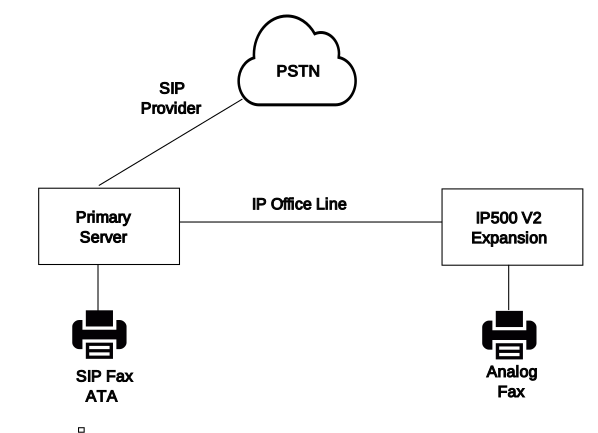
Fax on Server Edition Linux Servers
IP Office Linux servers cannot terminate T38 fax and therefore, T38 is negotiated end-to-end. When a SIP ATA fax is connected to an IP Office Linux server, the system directly relays negotiation between the SIP ATA Fax and the SIP provider.
Configuring Fax on SIP Lines and Extensions
To configure Fax on SIP Lines and Extensions, on the VoIP page for the SIP line or extension:
Set Re-Invite Supported to On in order to enable Fax Transport Support.
Select a value in the Fax Transport Support field.
Note the following.
Direct media is supported.
The T38 Fax page is not available.
Fax on Server Edition IP500 V2 Expansion Systems
Since an IP500 V2 system can terminate T38 fax, an analog fax can be connected to an IP500 V2 Expansion system. Fax transport is configured on the IP Office Line connecting the IP500 V2 system to the Server Edition network.
Configuring Fax on an IP Office Line
To configure Fax on an IP Office Line, on the Line | IP Office Line | VoIP Settings page, select a value in the Fax Transport Support field. Fax Relay is not supported.
Note the following.
Direct media is supported.
The T38 Fax page is not available.