

AVAYA DOCUMENTATION CENTER
Find answers to your technical questions and learn how to use our products
Administering Avaya IP Office with Web Manager
File Manager
This menu allows access to some of the folders on the server. It is intended for:
Upload and download of files to and from the /system/primary folder used by the telephony service.
Management of the custom prompts folder used by the voicemail service.
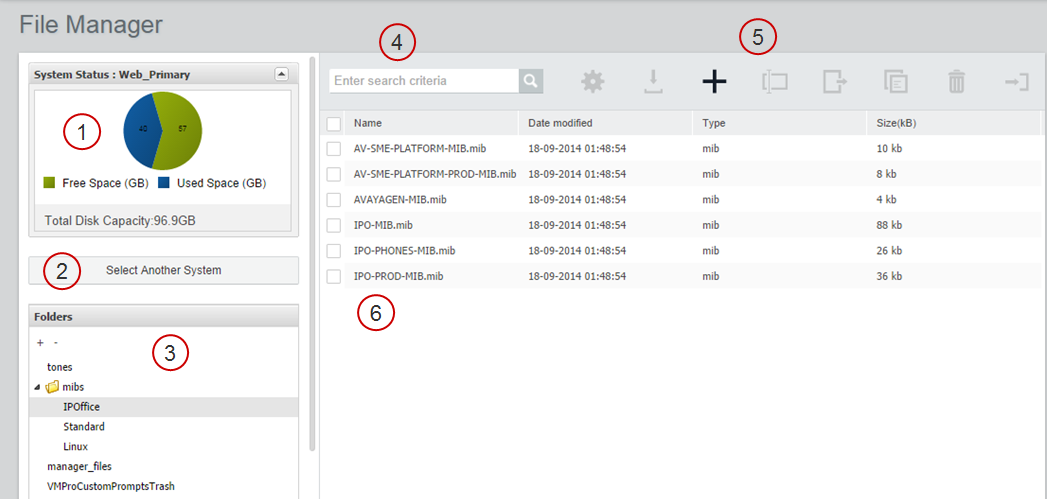
1 |
Graphic representation of disk capacity for the currently selected system. |
2 |
Click to load a server into the File Manager. |
3 |
The system folder directory. Select a folder to display the contents in the file list. |
4 |
File search tool. |
5 |
File management tool bar. Select a file in the file list to enable the tools. |
6 |
File list. |