AVAYA DOCUMENTATION CENTER
Find answers to your technical questions and learn how to use our products
Administering Avaya Cloud Office Service Web
Phone System tab
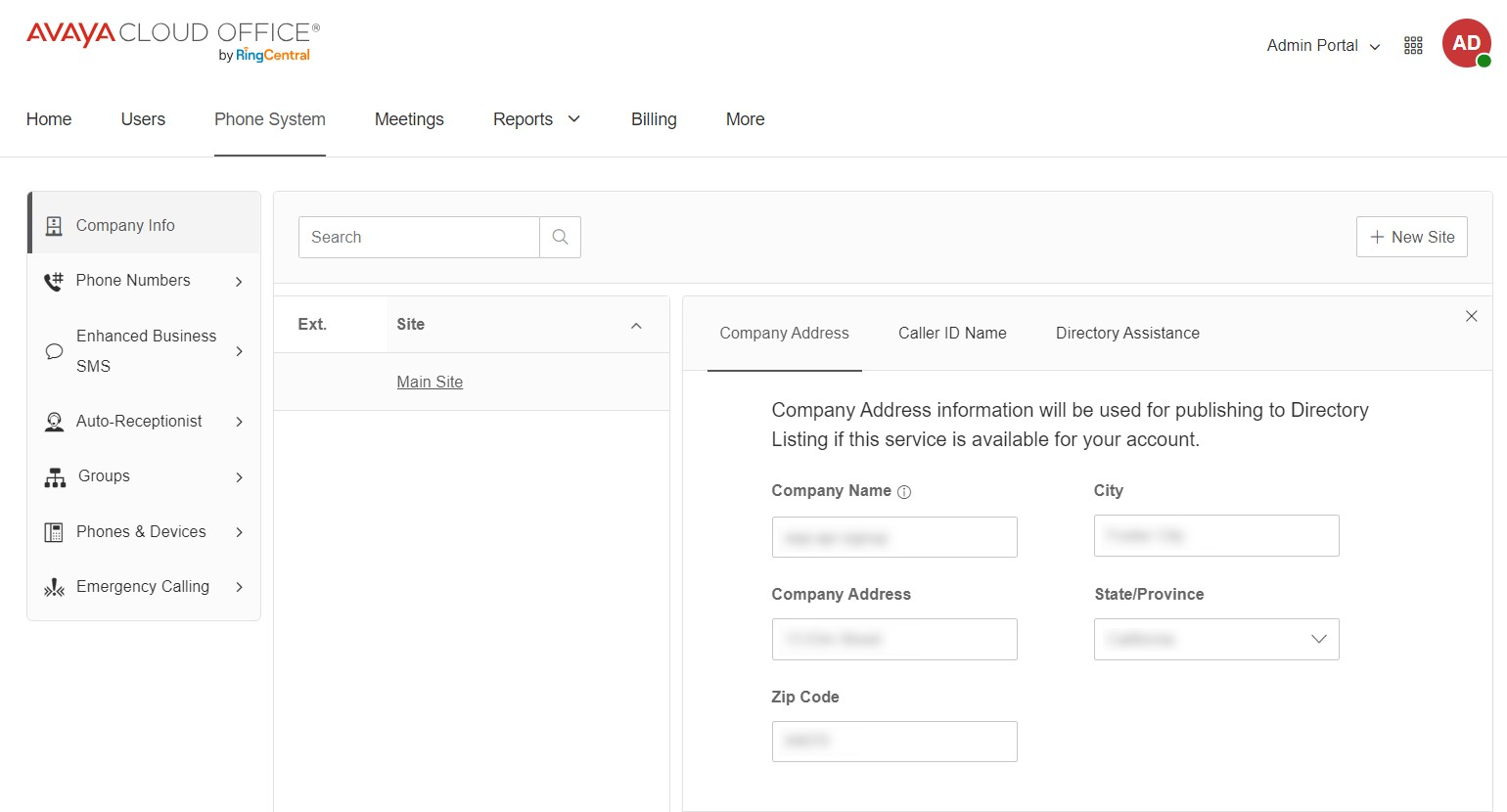
The Phone System tab displays all the phone numbers in your organization and the main settings to manage the phone system. On the Phone System tab, you can assign numbers and devices to users, set up the Auto-Receptionist, and create call handling groups. From the left menu, you can access the following subtabs:
Company Info: Displays the company address, caller ID name, and directory assistance.
Phone Numbers: Displays all the numbers, numbers in use, number inventory, number port in orders, and number requests.
Enhanced Business SMS: Displays information on the process for 10DLC TCR registration.
Auto-Receptionist: Displays the general settings for the Auto-Receptionist, dial-by-name directory, IVR menu, IVR editor, and prompt recordings library.
Groups: Displays the call groups, such as call queues, delegated lines, and call monitoring groups.
Phones & Devices: Displays the lists of user phones, common area phones, paging devices, shared lines, and unassigned devices.
Emergency Calling: Displays the 911 notifications, emergency response locations, and configurations for setting up automatic location updates.