

AVAYA DOCUMENTATION CENTER
Find answers to your technical questions and learn how to use our products
Administering IP Office Voicemail Pro
Generic Action
The Generic action can be used to play a prompt to the caller. It can also be used to enter custom commands for the voicemail server. The maximum length for the string is 128 characters.
You can enter the Voicemail Pro generic commands either as traditional "free format" text strings such as SAVE:$KEY or through using a series of data fields to set the parameters for the required string.
Procedure
- Click the
 Basic Actions icon.
 - Select
 Generic.
 - Select the Specific tab. Set the options as required.
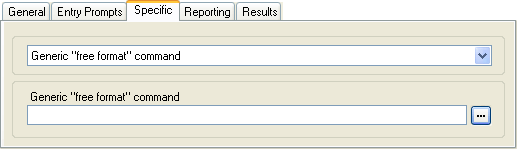
The fields available will vary according to the selected type of generic command. For further details of each command, see Generic Action commands.
Command
Description
Arithmetic Evaluation
Perform a mathematics operation on existing variables and save the result as a call variable .
Change Callers Priority
Change the priority of a call before it is presented to a hunt group.
Change User or Group Configuration
Get or change the current status of a range of user and hunt group settings.
Clear Counter
Return one of the
$COUNTERvariables to 0.Counter Decrement
Decrement one of the 15
$COUNTERvariables.Counter Increment
Increment one of the 15
$COUNTERvariables.Generic "Free Format" Command
Enter a command as a plain text string. The commands in this list and other action can be executed using text strings.
Set Counter
Set one of the 15
$COUNTERvariables to a specific value.Set CPxx Value
Set the value of one of the 15
$CPvariables.String Manipulation
Extract or change the string stored in an existing variable and save the result as a call variable.
Set Interdigit Delay
Change the delay value between the dialing of digits for subsequent actions in a call flow.
Result
This action has the following result which can be connected to a further action:
Next: Route the call to a following action in the call flow. This connection can be followed even after the caller has hung up if the Start action option Complete Sequence has been selected.