

AVAYA DOCUMENTATION CENTER
Find answers to your technical questions and learn how to use our products
Administering IP Office Voicemail Pro
Configuring announcements
About this task
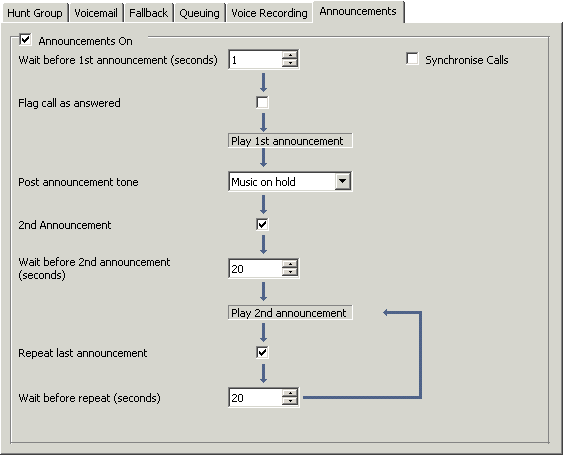
When a caller is waiting to be answered or queuing, announcements can be played to the caller. The announcements are activated in IP Office Manager. The standard announcement used is I am afraid all the operators are busy at the moment but please hold and you will be transferred when somebody becomes available.
This can be replaced by separate recordings for the 1st and 2nd announcements if required (see Recording announcements) or by custom call flows (see Customizing Announcements). For enabling announcements:
Procedure
- Click
 Group and select the hunt group.
 - Check Announcements On. Announcements will be played to a caller who is in a queued or waiting for the hunt group.
- Click
 to merge the configuration back to the IP Office.