

AVAYA DOCUMENTATION CENTER
Find answers to your technical questions and learn how to use our products
Administering IP Office Voicemail Pro
Configuring email reading
Procedure
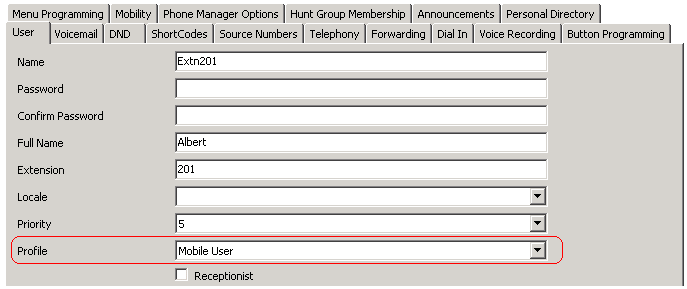
- On the User tab, set the user's Profile to either Mobile User or Power User.
- On the Voicemail tab,
Voicemail Email: Enter the user's e-mail address.
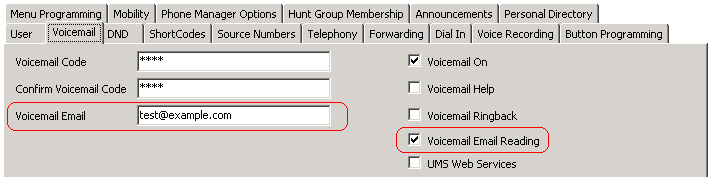
Voicemail Email Reading: Enable this option for TTS e-mail reading.
Currently not supported if using EWS for Exchange Server integration.