

AVAYA DOCUMENTATION CENTER
Find answers to your technical questions and learn how to use our products
Administering IP Office Voicemail Pro
Outlook UMS
UMS can be configured to use a user's Exchange server email account as the user's voicemail message store rather than the voicemail server. The user can then see and playback messages through their email inbox.
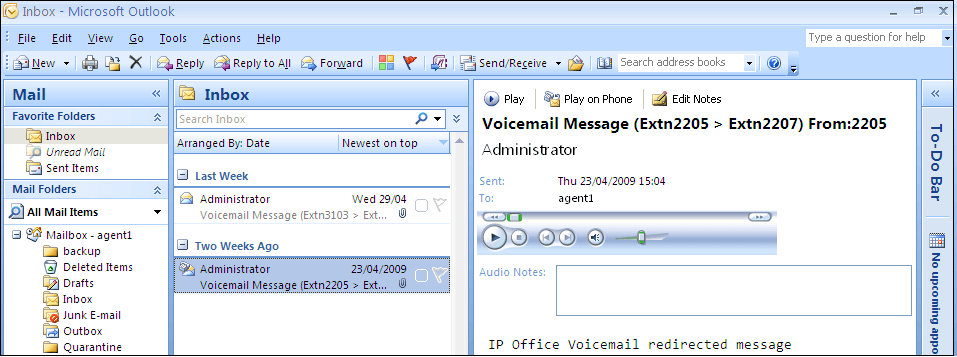
Mailbox access using the telephone, visual voice or one-X Portal for IP Office is done against voicemail messages in the e-mail account. Therefore some actions offered by the non-email interfaces cannot be used as they have no e-mail equivalents.
Messages stored in an e-mail account cannot be saved.
Undeleting messages using **8 from the telephone does not work for voicemail messages stored in Exchange.
Access using UMS IMAP and UMS web voicemail is not supported.
Messages are not subject toVoicemail Pro housekeeping.
Only voicemail messages in the inbox are recognized. If a message is moved to another mailbox folder it is no longer visible to the voicemail system.
Message waiting indication (MWI) is supported.
Note:
When using an Exchange server as the message store for a user's voicemail messages, the voicemail server will deliver messages to the Exchange server on completion of the recording. However, the presentation to Outlook and back to the voicemail server for message waiting indication (MWI) and access via telephone is delayed by Exchange server processing. The delay is typically 1 or 2 minutes. The same delay also applies to changes in the message status that affect message waiting indication.