

AVAYA DOCUMENTATION CENTER
Find answers to your technical questions and learn how to use our products
Administering IP Office Voicemail Pro
Goto Action
This action transfers the caller to another call flow start point.
About this task
Procedure
- Click the
 Basic Actions icon.
 - Select
 Goto.
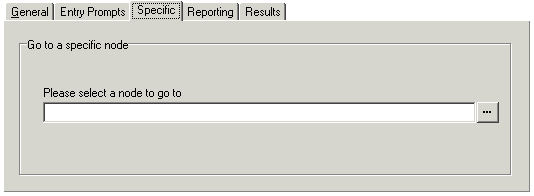
Goto. - Select the Specific tab.
Setting
Description
Please select a node to go to
Click … to browse to select a start point, module or system defined variable. For short codes, the browse method does not work. Instead enter "Short Codes.xxx" where xxx is the short code key sequence.
Select the option Start point or module. Select from the available options.
Users - all the users with specific start points are listed.
Groups - all the Groups with specific start points are listed.
Any default start point.
Any available modules.
Select the option System defined variables to browse the available call variables.