

AVAYA DOCUMENTATION CENTER
Find answers to your technical questions and learn how to use our products
Avaya Device Adapter Snap-in Reference
Adding a new Personal Directory entry
- Press the Directory/Log button.
ADDITIONAL INFORMATION:
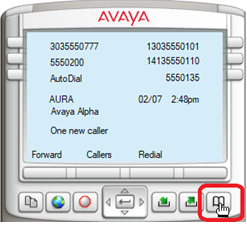
- Select Personal Directory.
- Use the up and down arrows to scroll through the stored entries.
- Depending on the endpoint, select Add or AddNew to add a new entry.
- Enter a name.
- Press the Next soft key.
- Enter a phone number.
ADDITIONAL INFORMATION:Note:If the new phone number matches an existing saved phone number in System Manager, then PPM merges the new contact information with the already existing contact information in System Manager. The resulting contact is known as an associated contact.An associated contact overwrites a user defined contact name with the contact name saved in the System Manager.The phone screen displays the associated contact information in the following scenarios:
-
After the network recovery
-
After a station re-registration
-
If the administrator has updated a field value for the station using System Manager web console
A user cannot edit an associated contact, it can only be edited by the administrator. -
- Press the Done soft key.
- Exit by pressing the stop sign or by waiting for the one-minute inactivity timer to expire.