

AVAYA DOCUMENTATION CENTER
Find answers to your technical questions and learn how to use our products
Avaya Device Adapter Snap-in Reference
Retrieving data from CS 1000
- Start ProVision.
- Apply System properties for the source CS 1000.
ADDITIONAL INFORMATION:
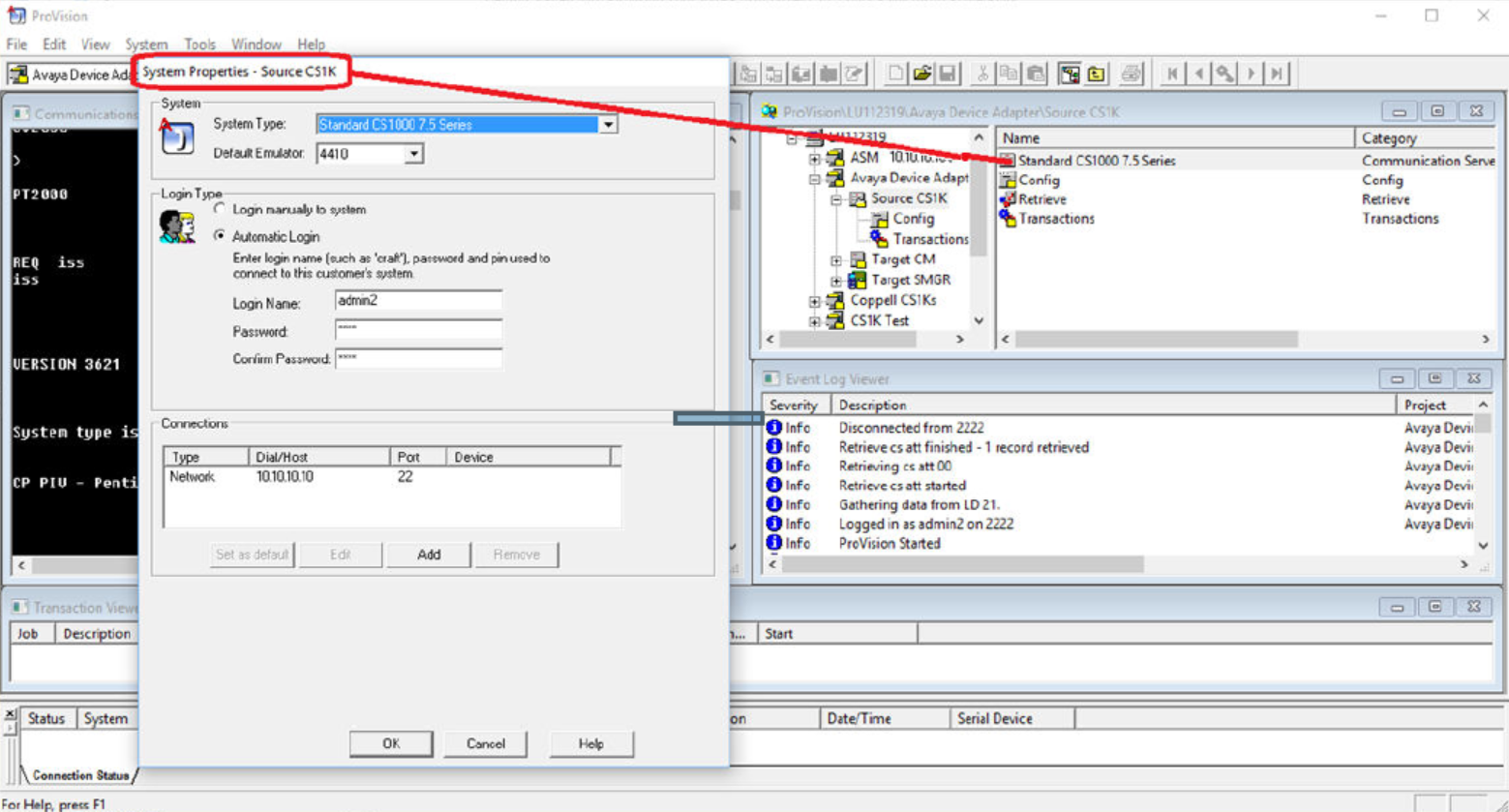
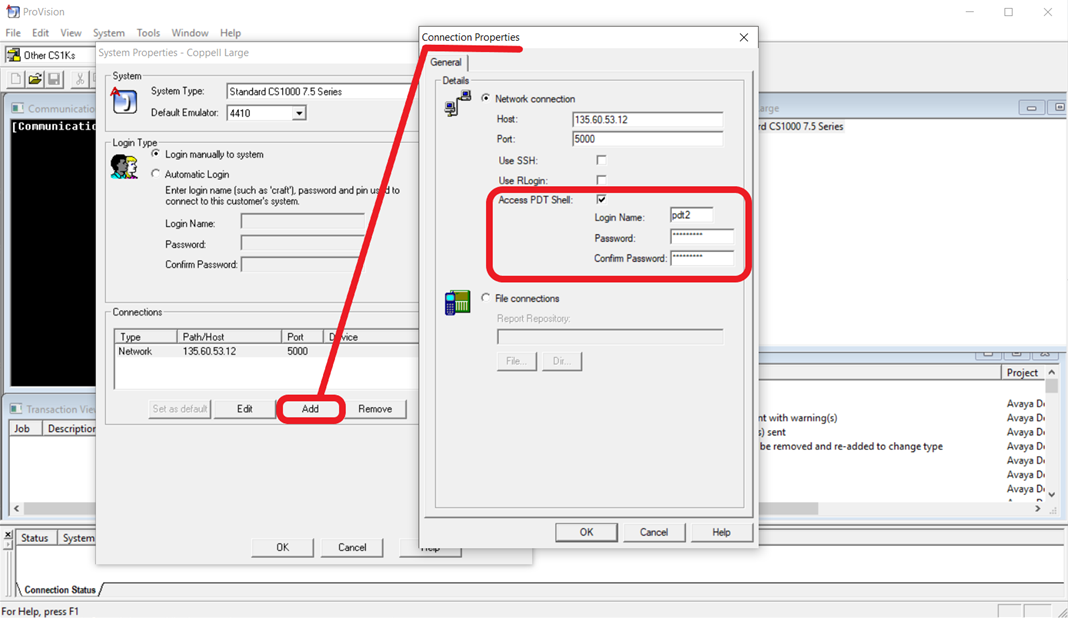
- Do the following to retrieve Media Gateway Controller (MGC) information:
- Click Add on the System Properties window.
- Select Access PDT Shell.
- Enter the appropriate credentials in fields provided.
- Click OK.
ADDITIONAL INFORMATION:
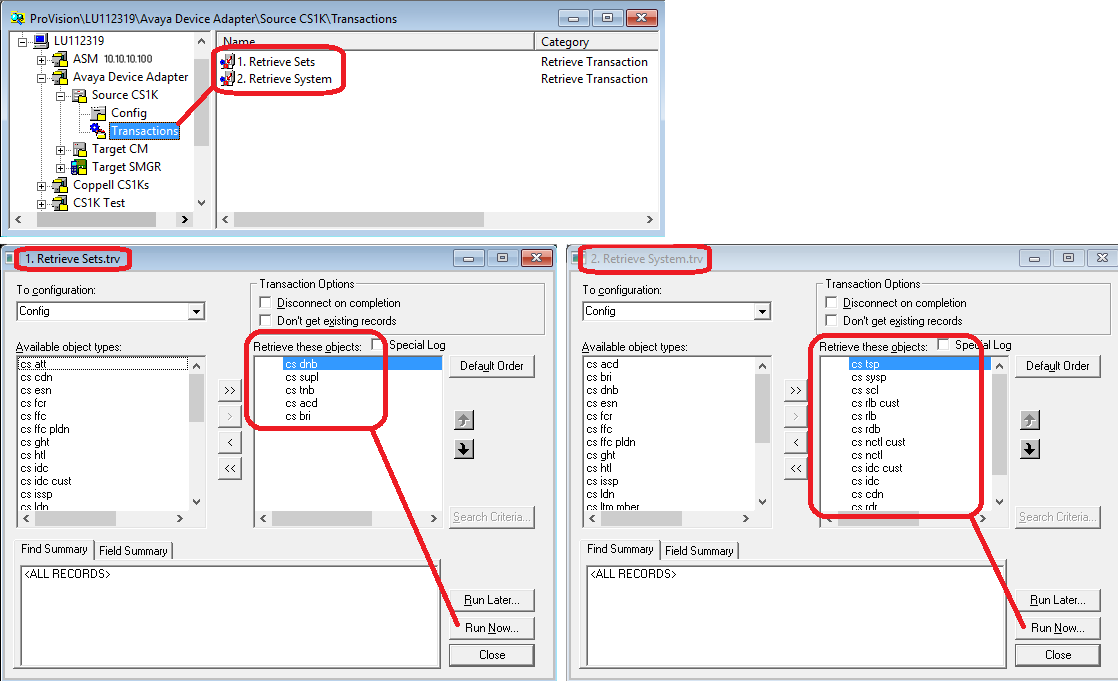
- Retrieve the CS 1000 data using the transactions available in the Source CS1K folder.
ADDITIONAL INFORMATION:
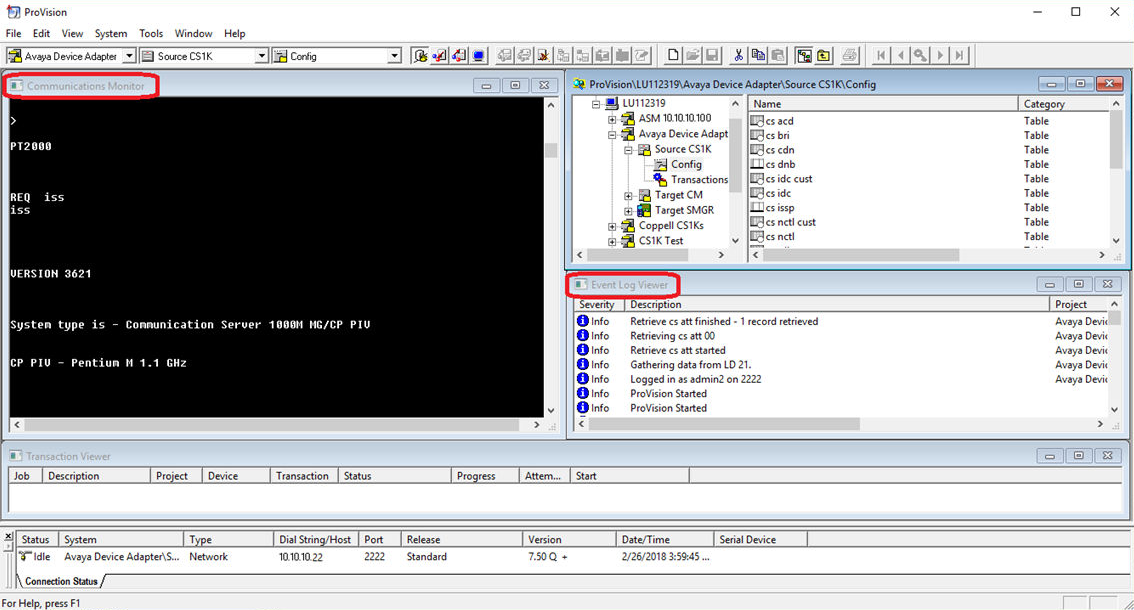
- Process progress is displayed on the Communications Monitor and Event Log Viewer.
ADDITIONAL INFORMATION:
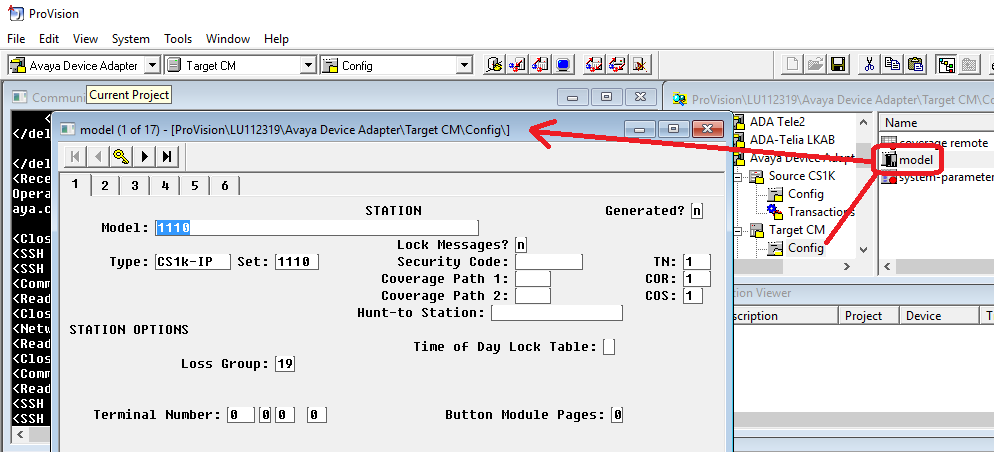
- Review Communication Manager models.
ADDITIONAL INFORMATION:The Model window is located in the Config folder of the target Communication Manager in the migration project. Models are templates that define global attributes for groups of stations related to the target ProVision project. Create models before running the Nortel Migration Tool.
- Review the cs mgc and cs mgc ports tables that are located in the config folder of the source CS1K project. This step is done to verify Media Gateway Controller data retrieved from the PDC shell.
ADDITIONAL INFORMATION:Note:The following tables are used by the Nortel Migration Tool to create an XML file that is imported into the target System Manager.

- Make any necessary changes to the Media Gateway Controller data.