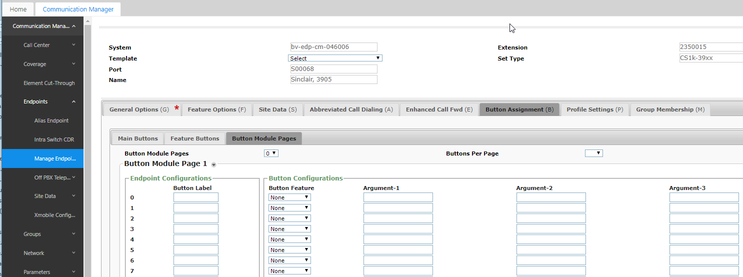
The Communication Manager Endpoint Administration has some new attributes for CS 1000 endpoints behind the station administration screens. The following example is based on the Set Type: CS1k-39xx and the General Options (G) setting for the set as 3905:
CS 1000 Endpoint Type
Two important pull-down values on the preceding System Manager screen provide the ability to tailor a station definition to the hardware.
Number of Expansion Module Pages – “Button Module Pages”. This allows the administrator to determine how many expansion modules are attached to the station. When this is non-zero, one or more of the subsequent button module “pages” can be programmed. If the “pages” value is set to 1, then only the first module can be administered.
Number of Keys/Buttons per Page – “Buttons per Page”. This allows setting the pages for the correct module type for any endpoint with two different expansion modules. For example, the 12xx stations can use a 12 or an 18-button expansion module.
Note that the values of the buttons per page and number of pages can be confusing. The underlying logic can be obscure.