

AVAYA DOCUMENTATION CENTER
Find answers to your technical questions and learn how to use our products
Avaya Device Adapter Snap-in Reference
Reviewing the MGC Import.xml file
- In Provision, review the MGC_Import.xml file in the target System Manager Config folder.
ADDITIONAL INFORMATION:This file is imported into System Manager through the web UI separately. Open the file to review or save to another location by doing one of the following:
-
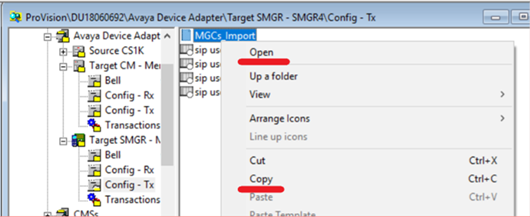
Right-click the file and click Open or Copy.
-
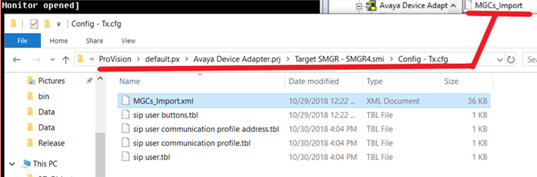
Use Windows Explorer to navigate to the file location on the local system.
-