

AVAYA DOCUMENTATION CENTER
Find answers to your technical questions and learn how to use our products
Avaya Device Adapter Snap-in Reference
System Manager user creation problem
Condition
Sometimes when creating a user on System Manager, the following error occurs:
Endpoint "200802" could not be added on CM "cm" and association of endpoint to user "200802@<domain name> " failed.
Cause
com.avaya.iptcm.cm.controller.exceptions.CmControllerException: 3 4654ff00 5bc5 subtype "3901 " is an invalid entry.
Solution
- On System Manager, create an endpoint profile by using the correct template in .
- Do the following to link this endpoint to a user:
- On System Manager, navigate to .
- Select the user, and then click Edit.
- On the Communication Profile tab, enable the CM Endpoint Profile option.
- Select the Use Existing Endpoints check box.
- In the Extension field, specify the extension.
ADDITIONAL INFORMATION:
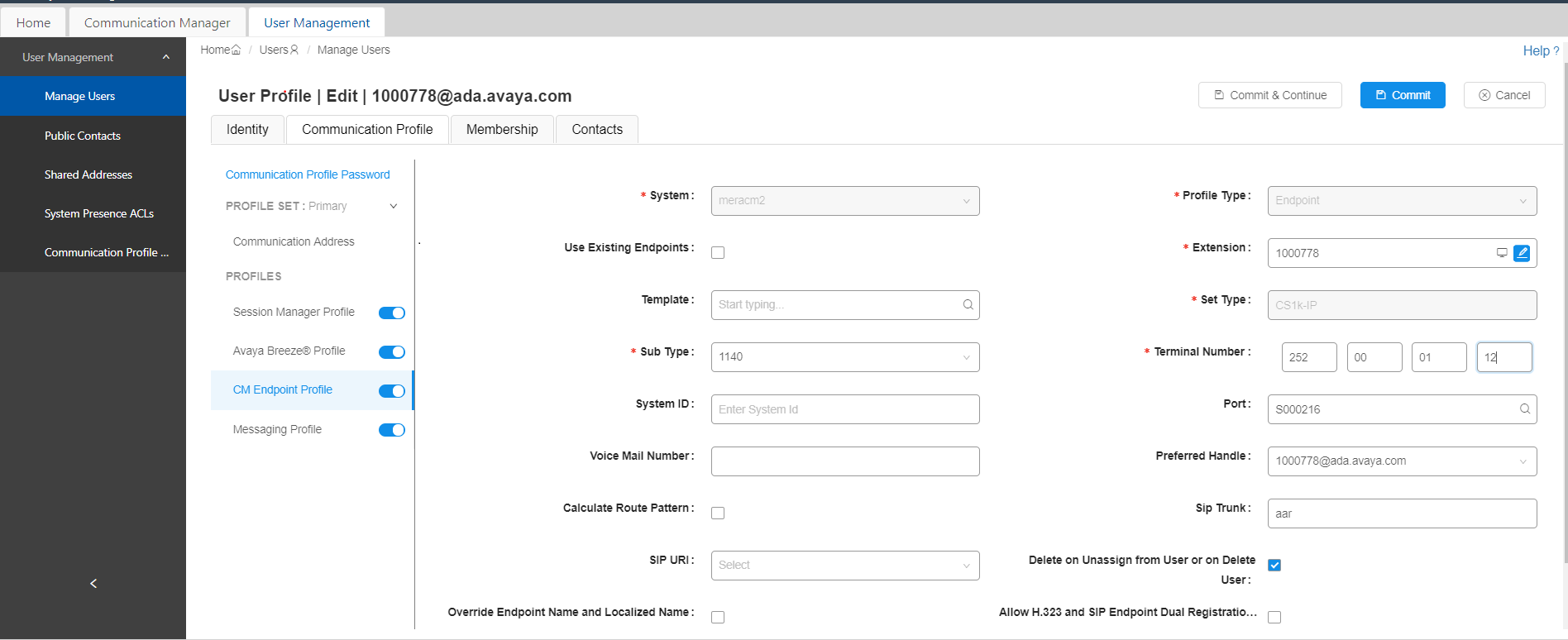
- If the following error occurs after you perform step 2, click the extension editor.
ADDITIONAL INFORMATION:
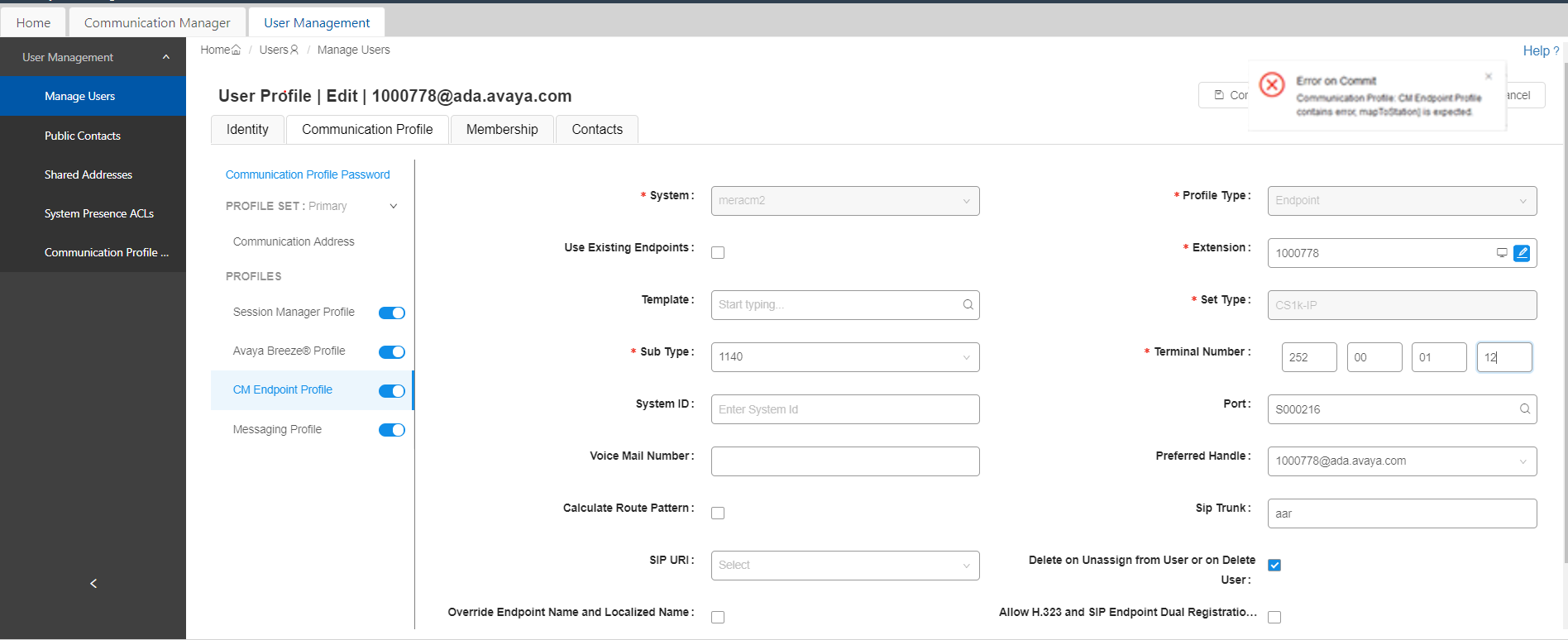
- Click Commit on the Endpoint editor.