A DVLA phone using the Virtual Office (VO) functionality either returns to the idle state when there is no active call on a DVLA phone with a VO login, or the phone user have not pressed any buttons on the phone. When the phone returns to the DVLA state, it re-registers.
At the same time, re-registration does not happen if the DVLA set does not use VO login operation or performs VO login operation but the user of the set actively works on the logged in set.
For example, if a user on a DVLA phone with VO login makes a call and does not perform any further actions during the configured DVLA idle time interval, then the timeout is not applied to the phone as the phone is still in the call and not inactive.
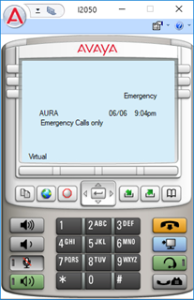
To invoke the Emergency calls feature, a user should register an IP phone with a TN from the DVLA TN range defined in System Manager. Emergency domain must be configured in the System Manager. The Emergency button is now displayed on the phone screen.
The following is an example of an emergency call display if the emergency domain is configured in System Manager:
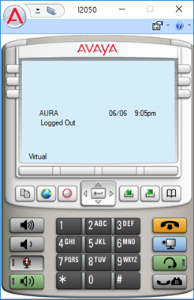
The following is an example where the emergency call button is not available as the emergency domain is not configured in System Manager: