

AVAYA DOCUMENTATION CENTER
Find answers to your technical questions and learn how to use our products
Avaya Device Adapter Snap-in Reference
Device Adapter administration in System Manager
This section describes the Device Adapter elements that can be administered in System Manager. Select from the System Manager menu to access the administration screens.
Dashboard
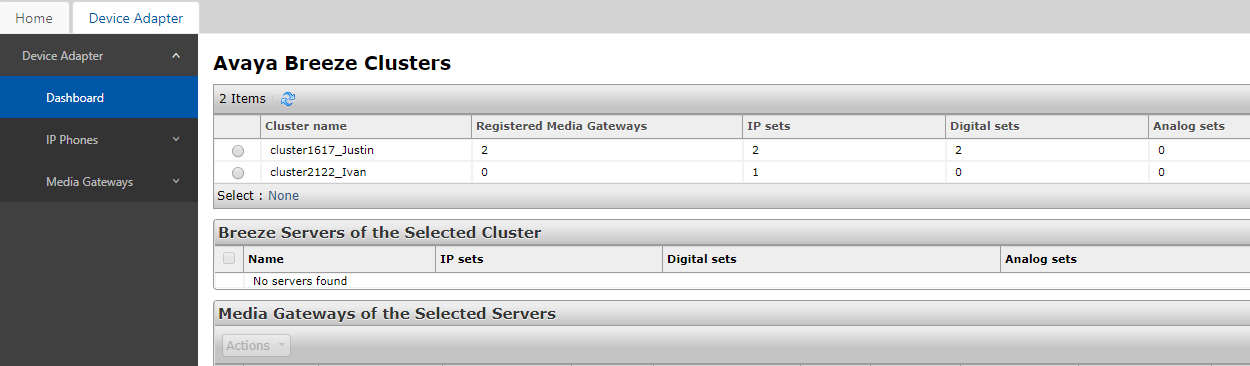
The Dashboard screen displays summary information about registered Media Gateway Controllers per cluster and server. Select from the menu to access this screen.
You can do the following on the Dashboard page to manage the Media Gateway Controllers (MGC):
-
Reboot the MGC.
-
Re-register the MGC to the primary cluster.
-
Force upgrade the MGC to the latest loadware.
-
Downgrade the MGC to CS 1000 loadware.
Maintenance and Reports
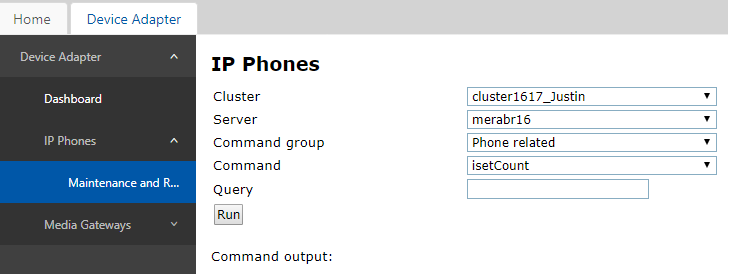
The Maintenance and Reports screen provides a set of IP phone maintenance commands on a selected Avaya Breeze® platform server. Select from the menu to access this screen.
IPE Line Cards
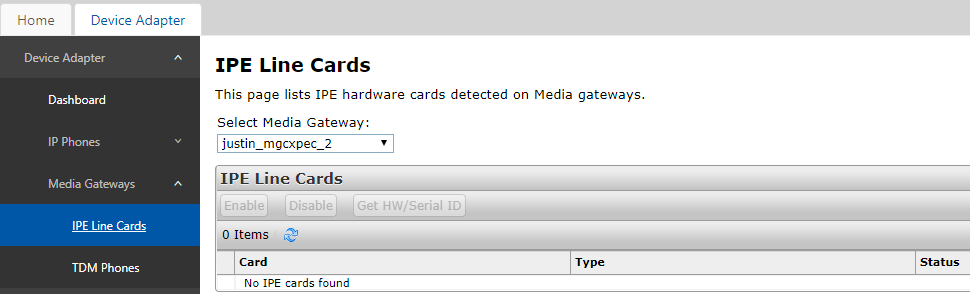
The IPE Line Cards screen provides commands to administer the IPE cards detected on a registered Media Gateway. Cards can be enabled or disabled and the HW/Serial ID retrieved. Select from the menu to access this screen.
TDM Phones
The TDM Phones screen provides commands to administer the TDM endpoints detected on a registered Media Gateway. Endpoints can be enabled or disabled, have the Personal Directory password reset, upgrade the firmware, and retrieve the Serial ID. Select from the menu to access this screen.
