

AVAYA DOCUMENTATION CENTER
Find answers to your technical questions and learn how to use our products
Avaya Device Adapter Snap-in Reference
Context-sensitive key access
Context-sensitive soft keys depend on the current state of the call (which includes the station being idle, and therefore, not having a call), the state of the station itself, and services available.
The CS 1000 endpoints that support soft keys typically have a display that includes four buttons with labels.
If there are less than four soft keys that can be used in a specific state, all the buttons are shown.
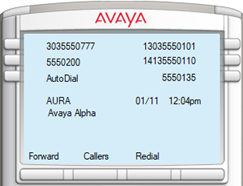
This example shows an idle endpoint, with a call forward soft key, a Callers List soft key, and a Redial List soft key. For more information, see the Personal Directory section.
If there are four or more buttons, up to three buttons are displayed. The fourth button indicates More, which allows the user to view the additional soft keys.
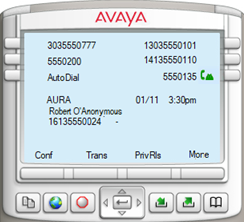
This shows an endpoint active in a call, with the Conference, Transfer, and Privacy Release buttons active. The More button allows the user to view a second set of buttons applicable for the current state.
The soft keys vary based on the current endpoint state and can vary when the Options are used.
Note that the soft key may not be visible. The Conf location is fixed for ad hoc Conference, and if the administrator used No Hold Conference and omitted the normal Conference button, the display leaves the Conf position blank.
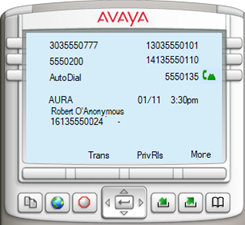
For more information, see
Context-sensitive soft keysin
Appendix G: Generic station operations.